
Live Chat
Hands the conversation to a person on your team through the Inbox, and tells the customer what happens if nobody is free.
The Live Chat node hands a conversation from your bot to a person on your team. It picks an available agent from the group you choose, assigns the conversation to them in the Inbox, and sends the customer your transfer message. From then on, the customer's messages go to the agent instead of the bot. If nobody can take the chat, the customer gets your fallback message instead.
When to use it
- The customer asks for a person, for example from a
TalkToAgentIntent. - The bot can't resolve the request, such as after an AI answer the customer rejects, or on the failure path of a Form.
- The matter is sensitive enough that a person should handle it.
- To keep the conversation with the bot, answer with a Reply or AI node instead.
Before you start
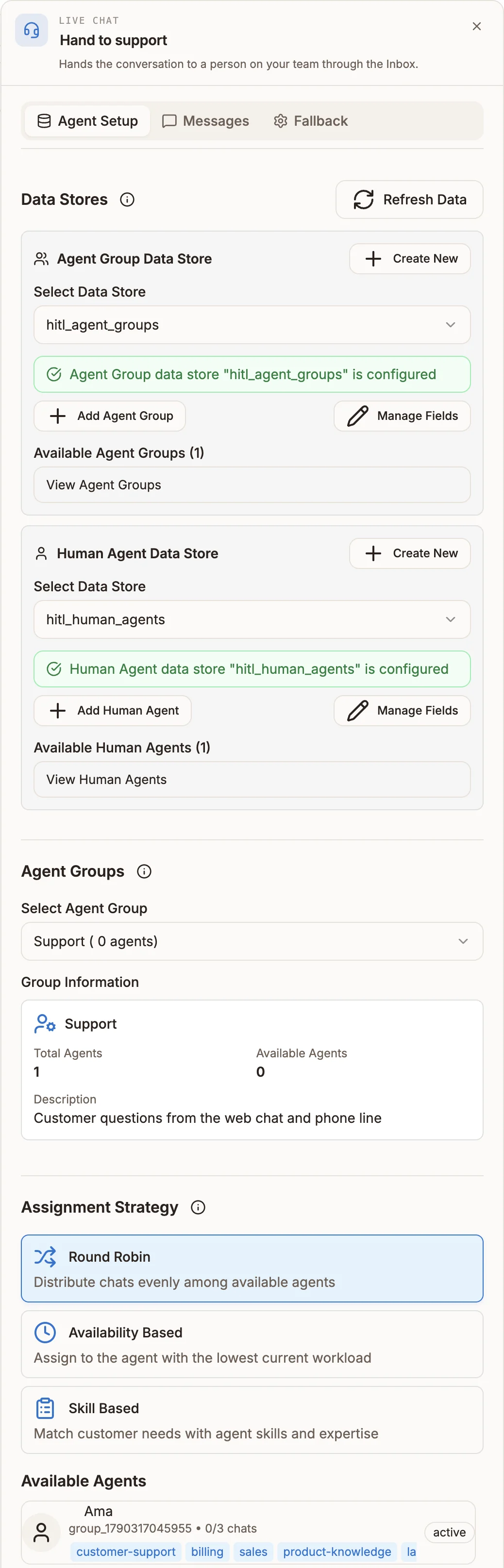
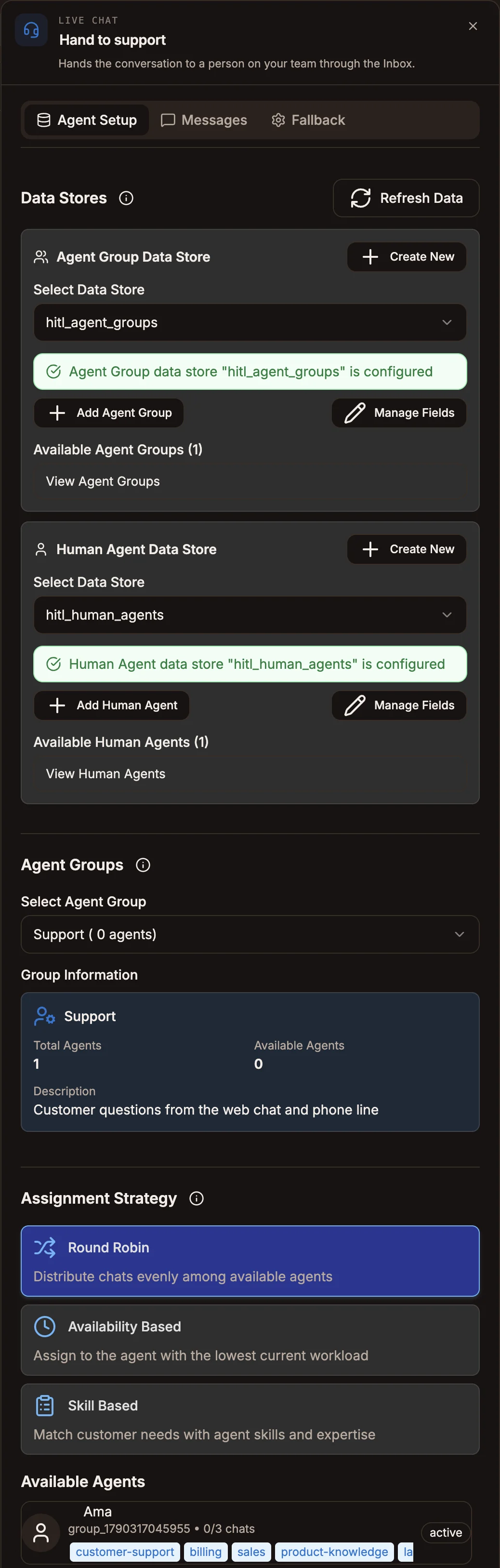
Agents and agent groups are kept in two organization-wide system data stores, shared by every chatbot project. If they don't exist yet, the Agent Setup tab offers Create HITL Agent Groups System Data Store and Create HITL Human Agents System Data Store. You can then add groups and agents from the panel, or manage them from the Inbox; see Assignments and routing.
Settings
Agent Setup
Prop
Type
When a group is selected, Group Information shows its total and available agents, and Available Agents lists the agents in it.
Messages
Prop
Type
A Message Preview shows the transfer message and agent note as they will appear.
Fallback
Prop
Type
Other languages lets you translate the three customer messages. Click Add language, then fill in:
| Field | What it does |
|---|---|
| Language comes from | An expression that gives the customer's language code, for example ${state.lang}. |
| Language code | The code for this translation, for example fr. A regional code such as fr-CA also matches fr. |
| Transfer message, Fallback message, Wait reminder | The translated copy. A blank field uses the main message; a blank wait reminder uses this language's fallback message. |
If the language is empty or has no entry, the main messages are sent.
How an agent is chosen
- The node looks up agents in the selected group whose status is online, available or active and who have fewer active chats than their Max Concurrent Chats (3 if not set). Agents who already declined this conversation are left out.
- The Assignment Strategy picks one:
- Round Robin takes turns through the available agents, per Live Chat node.
- Availability Based picks the agent with the fewest active chats.
- Skill Based keeps only agents who have every skill listed in
{{state.requiredSkills}}, then takes the first. Set that list earlier in the flow, for example with a Set Fields node. With no list, it takes the first available agent.
- The chat is assigned to that agent in the Inbox and the customer gets the Transfer Message.
If no agent is available, the customer gets the Fallback Message. If they write again while waiting, they get the Wait Reminder at most every 5 minutes. When an agent frees up (by resolving, declining or handing a chat back to the bot), the oldest waiting conversation is offered to them.
Business hours
If the project has business hours set in project settings with Tell people when nobody is available turned on, a handoff outside those hours sends the closed message (What to say outside these hours) instead of the fallback message, and marks the conversation with {{state.outsideBusinessHours}} and {{state.nextAgentAvailability}}. The conversation is still queued. See Business hours.
Outputs
The node has no output handle: the conversation stays with the agent. When an agent is assigned, it writes:
| Variable | Value |
|---|---|
state.assignedAgentId | The assigned agent's id |
state.assignedAgentName | The assigned agent's name |
state.transferNote | The rendered Agent Note |
state.fallbackAction | Set only when no agent was available |
Example
A support bot hands billing questions to the billing team.
- A
TalkToAgentIntent connects to a Live Chat node. - Select Agent Group is Billing, Assignment Strategy is Availability Based.
- Transfer Message: "Connecting you to
{{agent.name}}from our billing team." - Agent Note: "Customer asked about invoice
{{state.invoiceNumber}}." - Fallback Message: "Everyone on the billing team is busy. You're in the queue and we'll reply here as soon as someone is free."
Tips and limits
- Returning to the bot. If a conversation assigned to an agent has no activity for 30 minutes, the customer's next message goes to the bot again. Agents can also hand a chat back from the Inbox.
- Can't feed an Intent. An Intent node can't be connected from a Live Chat node.
- Required fields. The node shows a warning until Select Agent Group (and Custom Agent Group, if chosen) and Transfer Message are set.
- Connection errors. If assignment fails unexpectedly, the customer gets "Sorry, we encountered an issue trying to connect you. Please try again later."
- Chatbot projects only. Live Chat isn't in the USSD, IVR or automation palettes. For voice, use Queue or Transfer.