
Collect Payment
Requests a payment by mobile money prompt (MTN MoMo, M-Pesa) or card checkout link (Paystack, Flutterwave, Stripe) on USSD, chat, a call or an automation.
Collect Payment asks the customer to pay on their own phone. With mobile money, a payment prompt appears on their handset and they approve it with their PIN. With a card gateway, they get a secure checkout link and pay on the gateway's own page. Card details never pass through Buni.ai.
What happens while the payment settles depends on the channel: a chatbot waits for the customer to reply, a call holds the caller, an automation pauses, and a USSD session hands off and ends. See How it works on each channel.
When to use it
- Take payment for an order, a ticket or a bill inside the conversation.
- Charge a returning customer's saved card without sending a new link.
- To call a payment API that is not listed here, use the API node; you then handle waiting for the result yourself.
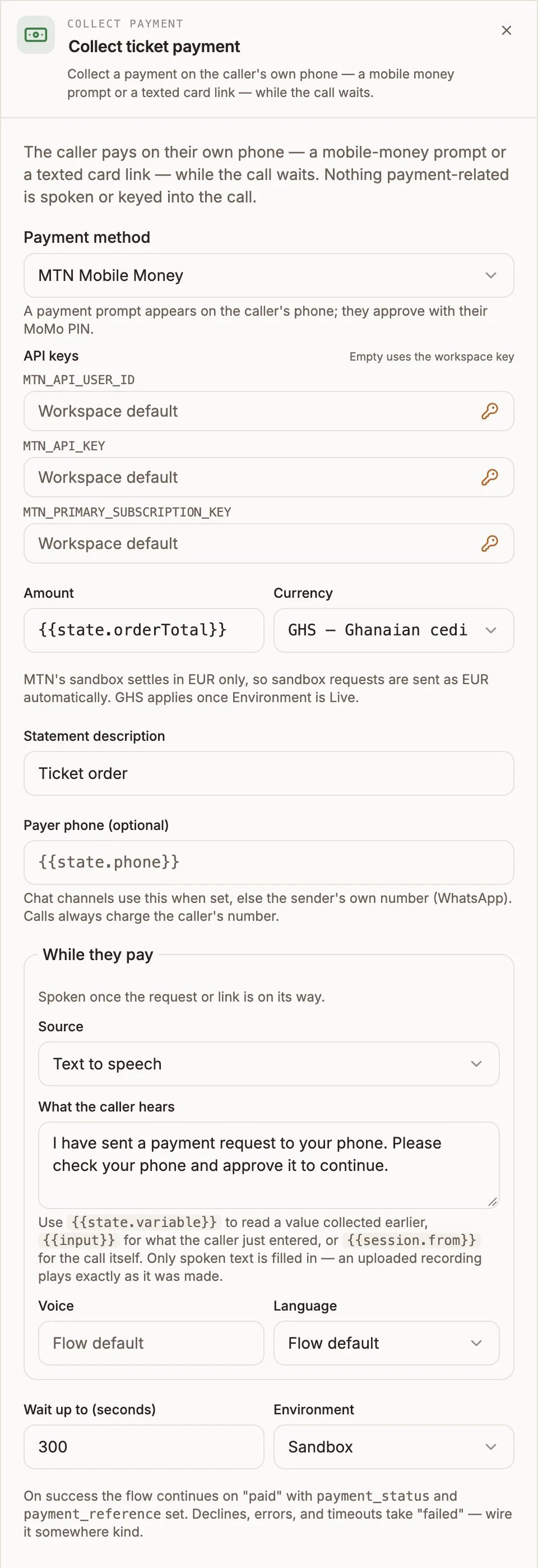
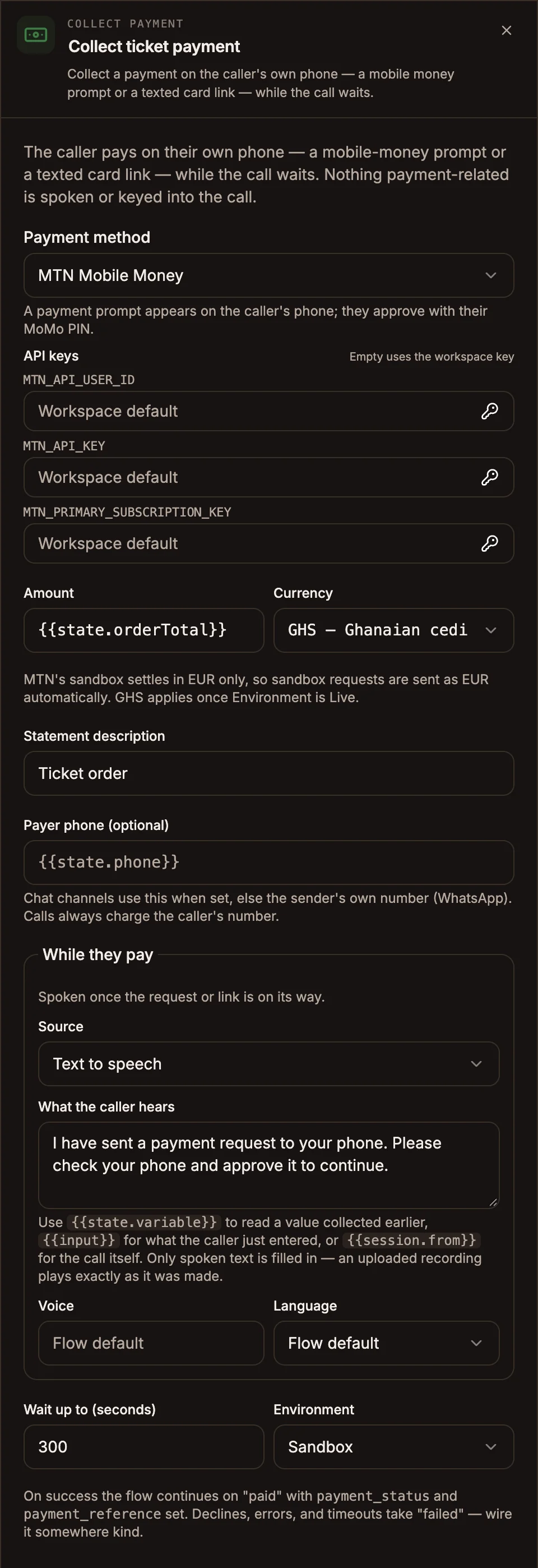
Settings
Prop
Type
Provider keys
Create these as credentials with exactly these names, or pick different stored credentials in the node's API keys fields.
| Provider | Credential names | Currencies offered |
|---|---|---|
| MTN Mobile Money | MTN_API_USER_ID, MTN_API_KEY, MTN_PRIMARY_SUBSCRIPTION_KEY | GHS, UGX, ZMW, XAF, XOF, EUR |
| M-Pesa | MPESA_CONSUMER_KEY, MPESA_CONSUMER_SECRET, MPESA_BUSINESS_SHORT_CODE, MPESA_PASSKEY | KES |
| Paystack | PAYSTACK_SECRET_KEY | GHS, NGN, ZAR, KES, USD |
| Flutterwave | FLUTTERWAVE_SECRET_KEY | GHS, NGN, KES, UGX, TZS, RWF, ZMW, MWK, XAF, XOF, ZAR, USD, EUR, GBP |
| Stripe | STRIPE_SECRET_KEY | USD, EUR, GBP, GHS, NGN, KES, ZAR, UGX, TZS, RWF, XAF, XOF, AED, INR |
MTN's sandbox settles in EUR only, so sandbox MTN requests are sent in EUR whatever you pick. Your chosen currency applies once Environment is Live.
How it works on each channel
A USSD session cannot wait for a payment to settle. The node sends the mobile money request to the dialler's phone, sets {{state.payment_status}} to initiated, and immediately continues down paid to your closing screen. The customer approves the prompt after the session ends.
- paid means "request sent", not "money received". Word the closing screen accordingly: "Approve the prompt on your phone to complete payment."
- failed is taken when the request cannot be started: an unusable amount, no phone number, or the provider rejected it.
- Card checkout links cannot be shown on a USSD screen, so a card method in Send a checkout link mode fails the publish. Use MTN Mobile Money, M-Pesa, or Charge a saved card.
- With nothing connected, paid ends the session with "Payment request sent. Approve it on your phone to complete." and failed with "Sorry, the payment could not be started. Please try again later."
Outputs
| Handle | When |
|---|---|
| paid | The payment completed. On USSD: the request was sent. |
| failed | Declined, cancelled, timed out, or could not be started. |
| deliver | Automations with card checkout only. Runs once to send the link. |
Written to state:
| Variable | Value |
|---|---|
{{state.payment_status}} | initiated, completed, failed, cancelled or timeout. |
{{state.payment_reference}} | The provider's receipt or transaction reference, on success. |
{{state.payment_link}} | Automations with card checkout: the checkout URL, for the deliver step. |
{{state.payment_card}} | With Save the card for future charges: the reusable token details. |
Example
A WhatsApp chatbot sells event tickets:
- Form collects the ticket type and quantity; a Set Fields node works out
orderTotal. - Collect Payment, MTN Mobile Money, amount
{{state.orderTotal}}, currency GHS, statement "Ticket order", Wait up to 300, Environment Live. - paid: Reply "Paid, thank you. Your reference is
{{state.payment_reference}}." then a Data Store POST saves the order. - failed: Reply "That payment did not go through. Reply PAY to try again, or HELP to talk to us."
Tips and limits
- Set Wait up to yourself. The panel shows 120 until you change it, but chatbot and automation projects wait 600 seconds when the field was never edited.
- Always connect failed to somewhere helpful: a retry, a person, or an alternative way to pay.
- Write variables with
state.in these fields:{{state.orderTotal}}. The panel's placeholders show bare names such as{{orderTotal}}, which only resolve on voice projects. - Test in Sandbox with the provider's test numbers and cards before switching to Live.
- A saved-card charge that the card issuer asks to verify fails safely. Send a fresh checkout link instead.