
Business hours
Set a chatbot project's time zone and opening hours so AI nodes know the local date and customers are told when your team is back.
The Hours settings tab does two jobs for a Chatbot project:
- Time zone. AI nodes are told the current date and time in this zone. Without one, they work in UTC, which can put them a day out late in the evening east of Greenwich.
- Opening hours. When someone asks for a person outside your hours, the bot can say so and tell them when the team is back, instead of promising they are next in the queue.
Set your hours
Open the Hours tab
Open the project and go to Settings›Hours.
Choose a time zone
Pick the Time zone your team and customers work in.
Turn on the out-of-hours message
Turn on Tell people when nobody is available. The opening hours fields appear.
Set opening hours
Under Opening hours, switch each day on or off and set its opening and closing times. Select Add a second period for a split day, such as 09:00 to 12:00 and 14:00 to 17:00. Every open day needs a period that ends after it starts.
Write the message
In What to say outside these hours, write what customers see. Include {{nextOpen}} to insert the next opening time, such as "Monday at 09:00". Leave it out and no time is offered.
Add closed dates (optional)
In Closed dates, list holidays as YYYY-MM-DD, separated by commas. The team counts as closed all day, and the next opening time skips them.
Save and republish
Select Save, then republish the project. The settings are built into the bot when you publish, so saving alone does not change live conversations.
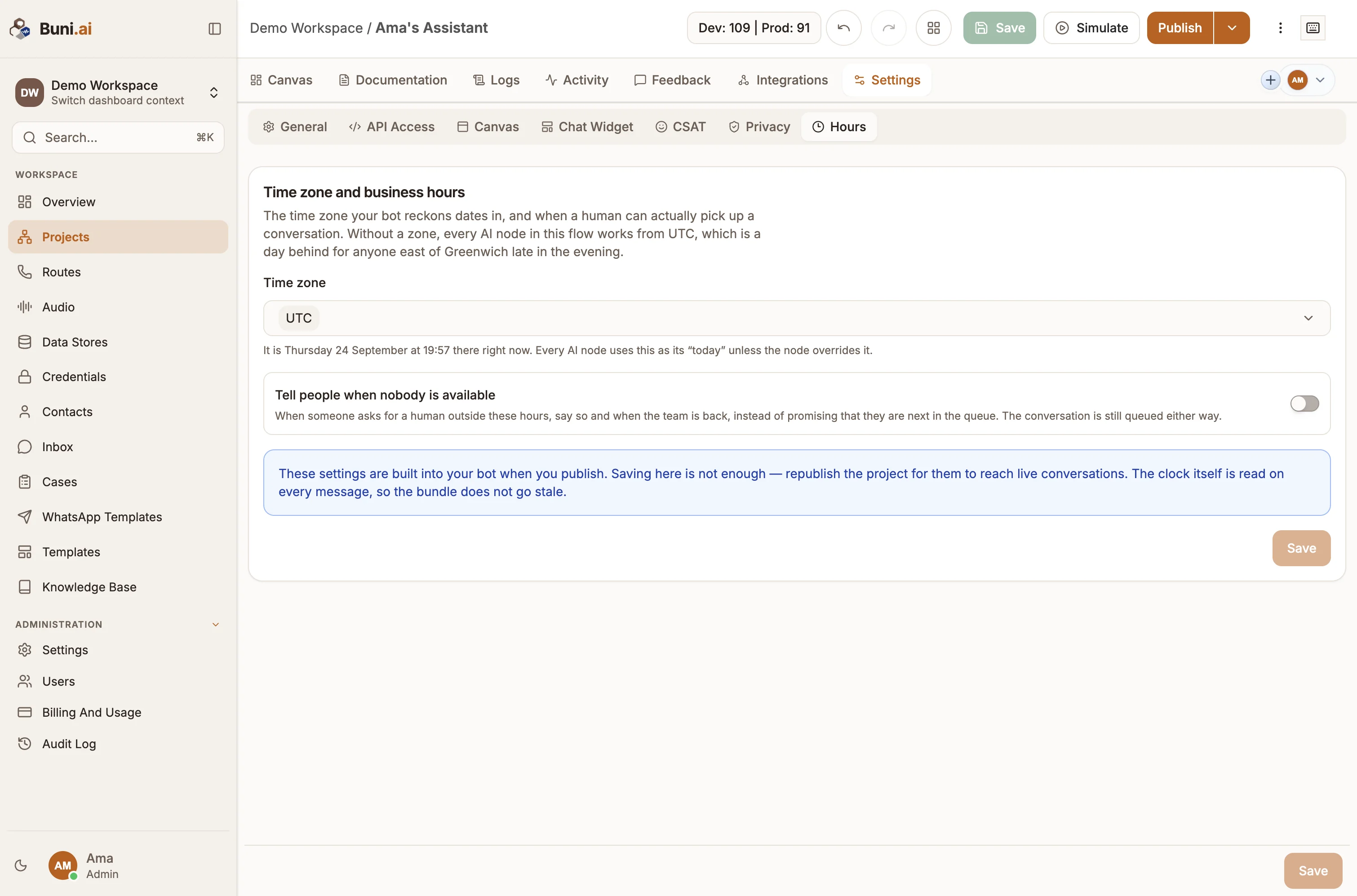
You only need to republish when you change the settings. The bot checks the clock on every message, so it moves between open and closed on its own.
What happens out of hours
When a flow reaches a Live Chat node while you are closed:
- The customer gets your out-of-hours message.
- The conversation is still queued, so an agent sees it when they come back.
- The flow's state records it:
{{state.outsideBusinessHours}}istrueand{{state.nextAgentAvailability}}holds the next opening time.
If you leave Tell people when nobody is available off, the time zone still applies to AI nodes and handoffs behave as before.