
Incoming Call
Where every inbound call to an IVR project starts. Plays an optional greeting, then hands the call to the next node.
The Incoming Call node is the entry point for calls people make to your number. When a call connects, it plays an optional greeting and then continues to the node you connect to it. It has no input handle, because nothing comes before an incoming call.
IVR only
This node appears only in IVR projects.
When to use it
- Your project answers calls to a phone number.
- You want a short greeting to play before the first menu or question.
If the project places calls instead of answering them, use Outbound Call. A project can hold one of each.
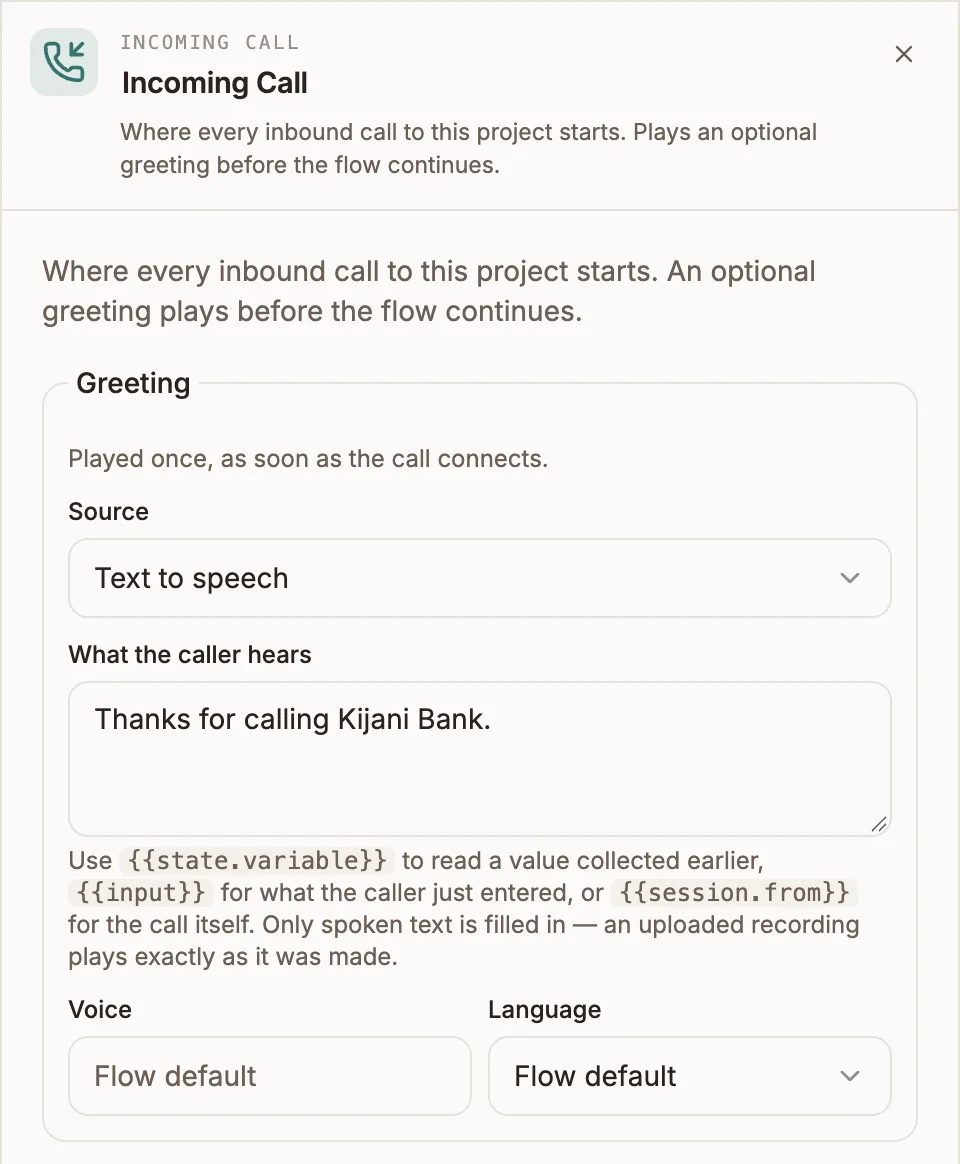
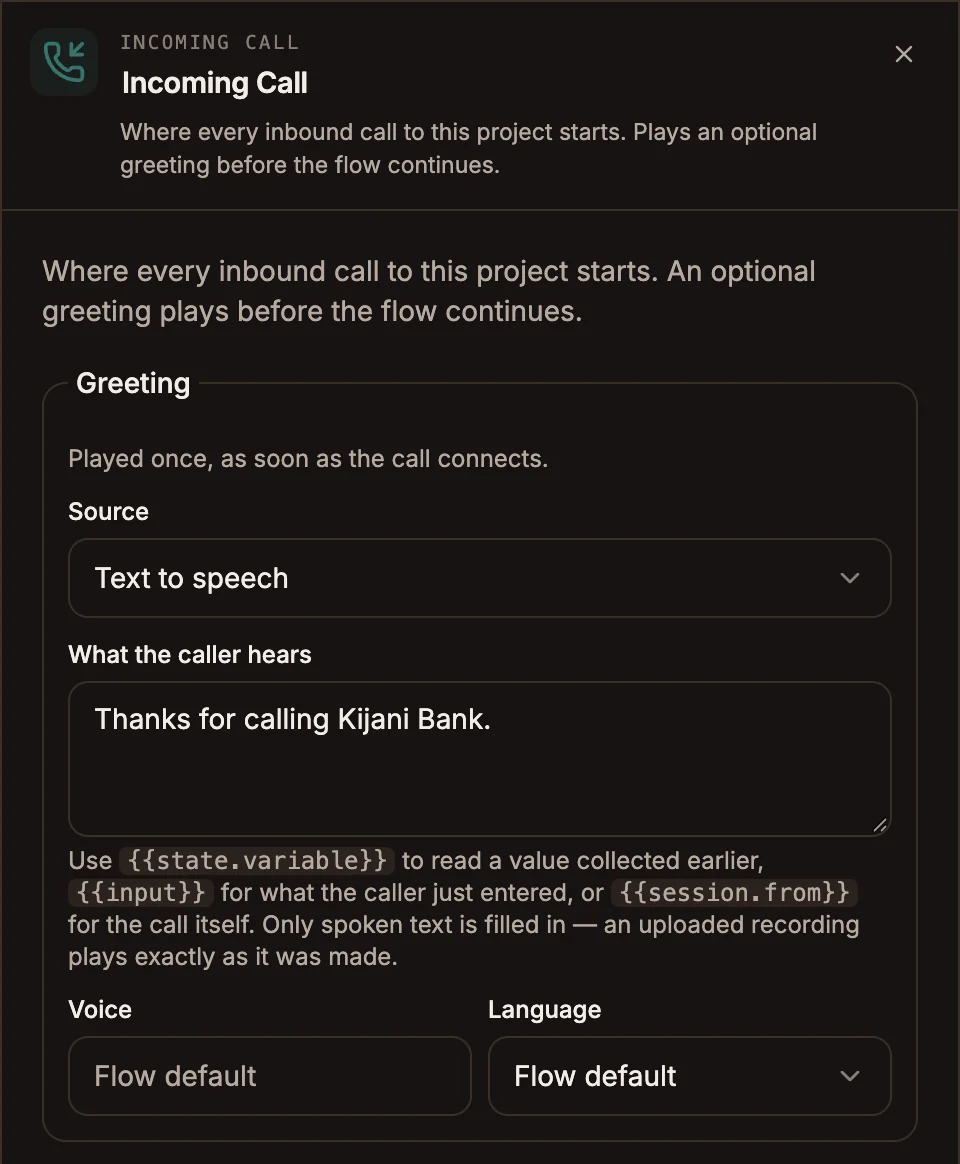
Settings
Prop
Type
Variables are filled in only for text to speech. An uploaded recording plays exactly as it was made. Set the project-wide voice and language in Voice settings.
Outputs
One output handle. The flow continues there as soon as the greeting finishes, or straight away when there is no greeting. The node writes no variables.
Example
Incoming Call (Greeting: "Thanks for calling Kijani Bank.")
  → Menu ("For balances press 1. To report a lost card press 2.")
Tips and limits
- A flow can contain at most one Incoming Call node. It also needs at least one entry point: an Incoming Call, an Outbound Call, or both. Otherwise the flow does not compile.
- Keep the greeting to one sentence. The caller rang with a question and waits through everything you put here.
- Leave the greeting empty when the next node already speaks. Two prompts back to back with no pause sound like a stutter.