
Data Store
Creates, reads, updates and deletes records in one of your data stores, and saves the result for later nodes.
Data Store reads and writes records in a data store, Buni.ai's built-in database. Pick an action and a store, say which records you mean, and the result is available to the rest of the flow.
When to use it
- Look up a customer by phone number at the start of a session.
- Save what a user entered: a registration, a complaint, an order.
- Update a record's status, or add to a counter.
- To read or write your own external database or system, use an API or Integration node.
- To save people as contacts with groups and properties, use Contact.
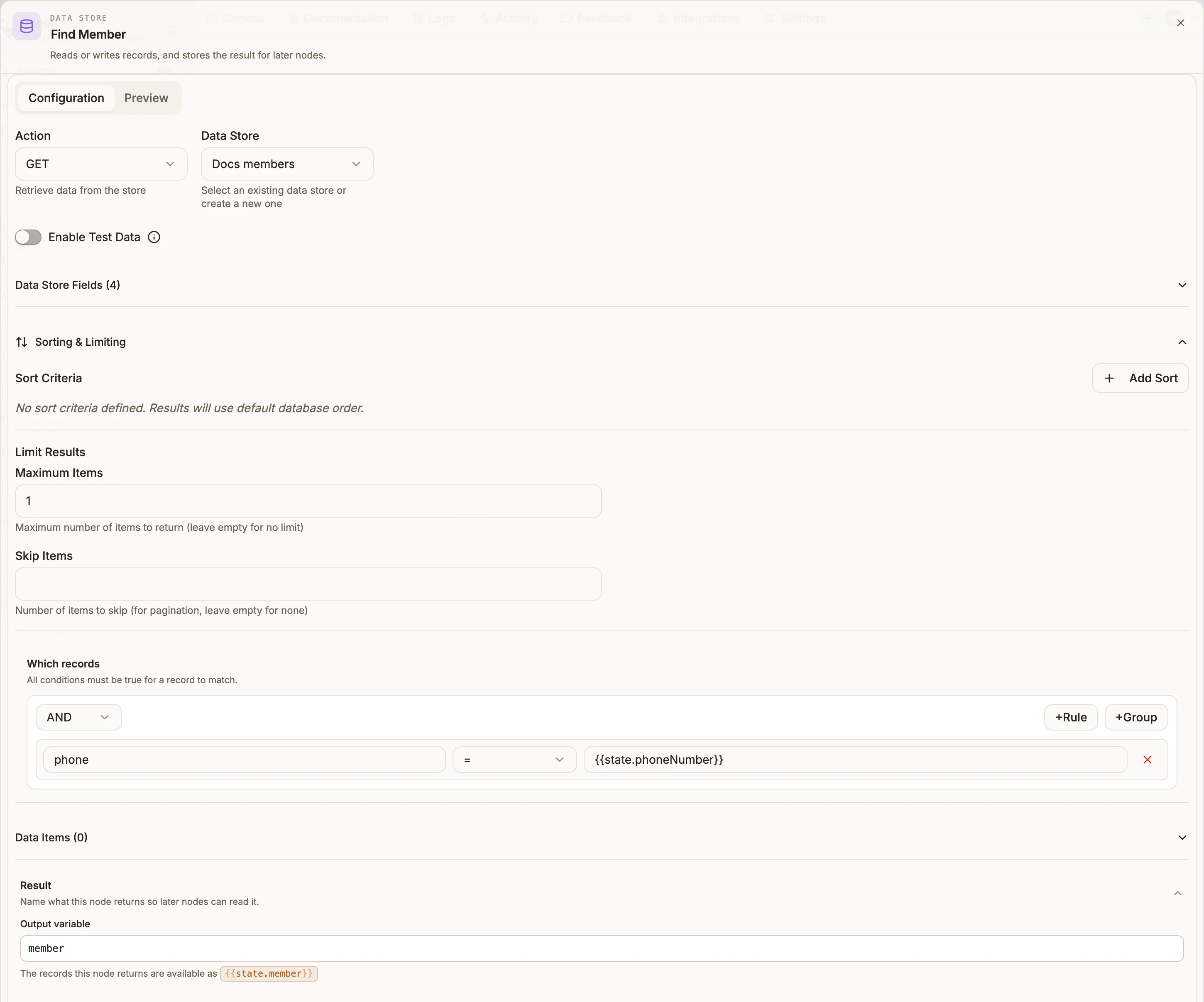
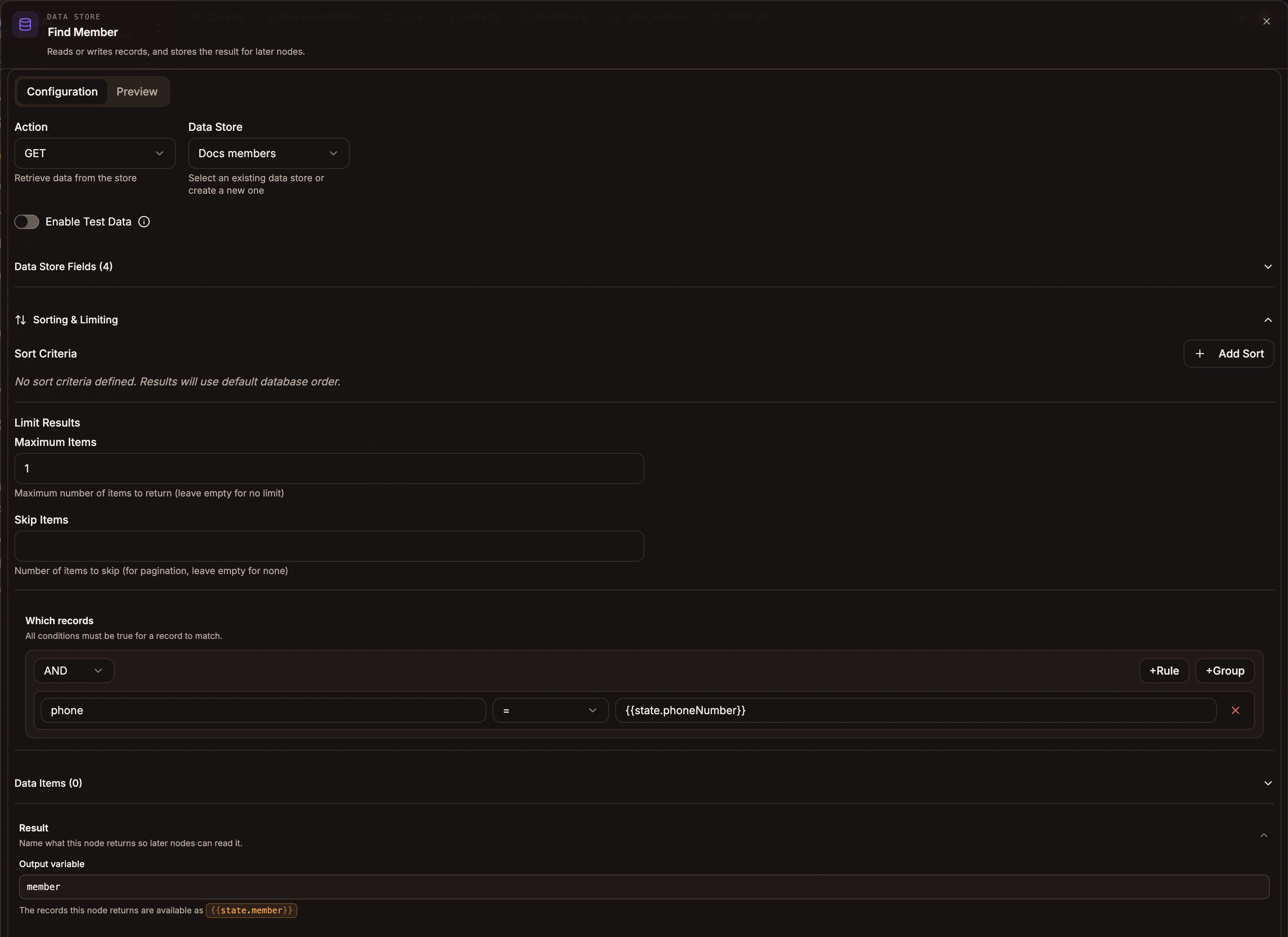
Settings
The panel has two tabs: Configuration, where you build the action, and Preview, where you run the query and see what it returns.
Prop
Type
What each action does
| Action | Uses | Behaviour | Result in the output variable |
|---|---|---|---|
| GET | Which records, Sorting & Limiting | Returns every matching record. With no conditions it returns the whole store, 100 records at most unless you set Maximum Items. | An array of records, empty when nothing matches. |
| POST | Payload | Adds one record. | The insert result, including the new record's insertedId. |
| PUT | Which records, Payload | Updates every matching record. If nothing matches, creates a new record from the conditions and the payload. | The update result, with counts of matched and modified records. |
| DELETE | Which records | Deletes every matching record. | The delete result, with deletedCount. |
Update payloads
A PUT payload of plain fields sets those fields and leaves the rest of the record alone:
{ "status": "resolved", "resolvedBy": "{{state.agentName}}" }You can also use update operators for counters and lists:
{
  "$set": { "lastSeen": "{{state.now}}" },
  "$inc": { "visits": 1 },
  "$push": { "history": "{{state.lastAction}}" }
}$set, $inc and $push are supported. Do not rely on other operators, such as removing an item from a list: they are not applied, and some can make the whole update fail. To remove an item, read the record, change the list in a Function node, and write the whole list back with a plain field.
Outputs
One output. The next node receives the store's response, and it is saved as {{state.outputVariable}} when you set Output variable.
Example
A USSD registration flow checks whether the caller is already registered:
- Data Store, GET from
members, Which records:phone={{state.phoneNumber}}, Maximum Items1, output variablemember. - Router:
state.member.length > 0goes to "Welcome back", the fallback to the registration menu. - After the user enters their name, Data Store, POST to
memberswith payload{ "phone": "{{state.phoneNumber}}", "name": "{{state.name}}" }.
Tips and limits
- PUT and DELETE act on every match. Make the conditions specific, for example an ID or phone number. An empty condition list on DELETE removes every record the store holds.
- PUT creates a record when nothing matches. If you only want to update existing records, check with a GET first.
- Save Item and Preview act on the real store while you edit, not only when the flow runs.
- Field definitions describe the store for the editor and pickers. They are not enforced on write: a payload can include fields the store does not list.