
API
Calls any HTTP endpoint with your method, headers, auth and body, captures fields from the response into state, and routes on success or failure.
API calls an HTTP endpoint and hands the response to the next node. You set the method, URL, query parameters, authorization, headers and body, much as in an API client, and can test the request from the panel with Send.
When to use it
- Check a balance, an order or a booking in your own system.
- Create a record in a backend when the user finishes a flow.
- Call a provider that has no built-in integration, such as a payment or SMS gateway.
- For a supported service such as Salesforce, HubSpot or Google Sheets, the Integration node is quicker to set up.
- To collect a mobile money or card payment, use Collect Payment, which also waits for the payment to settle.
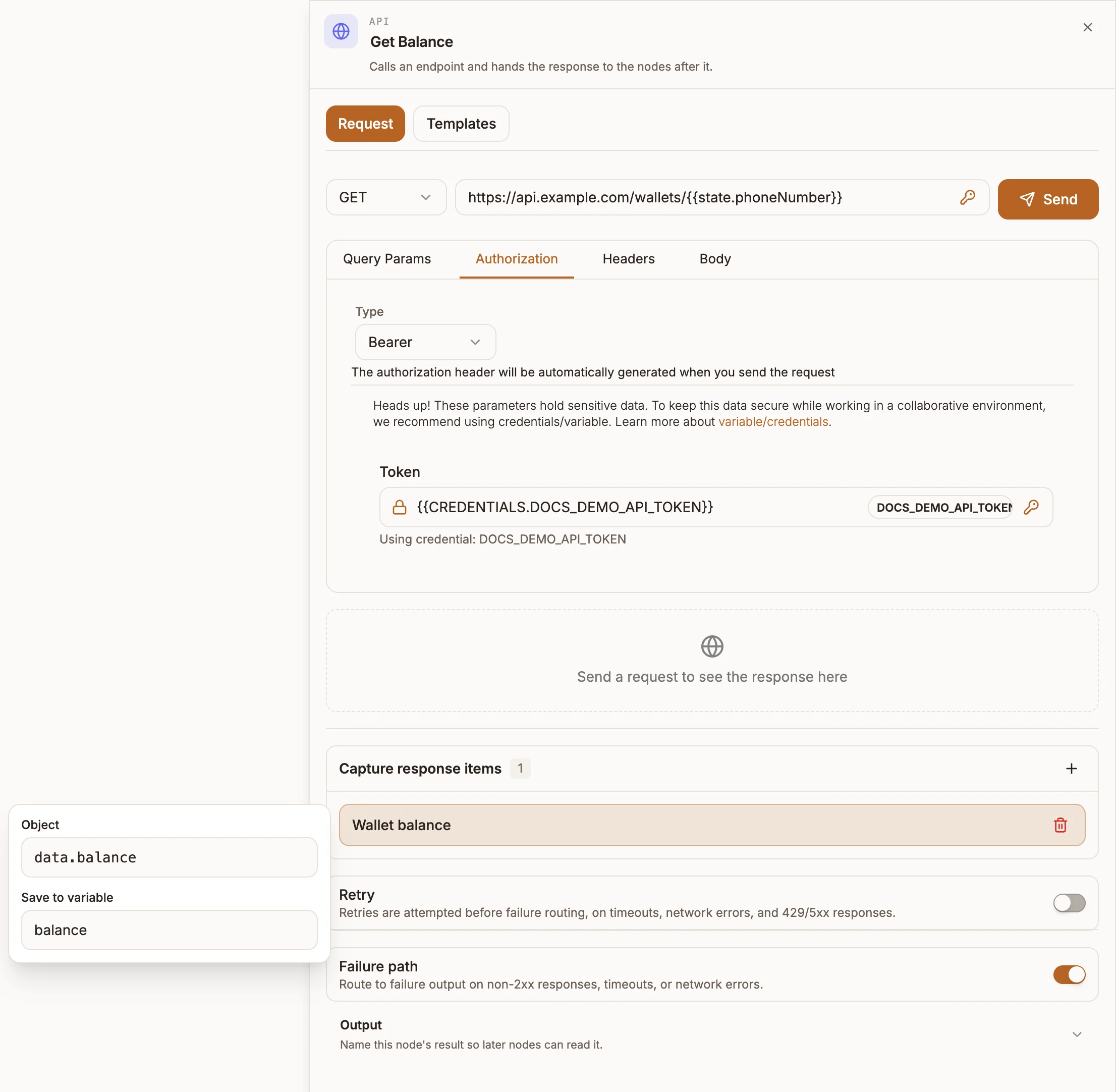
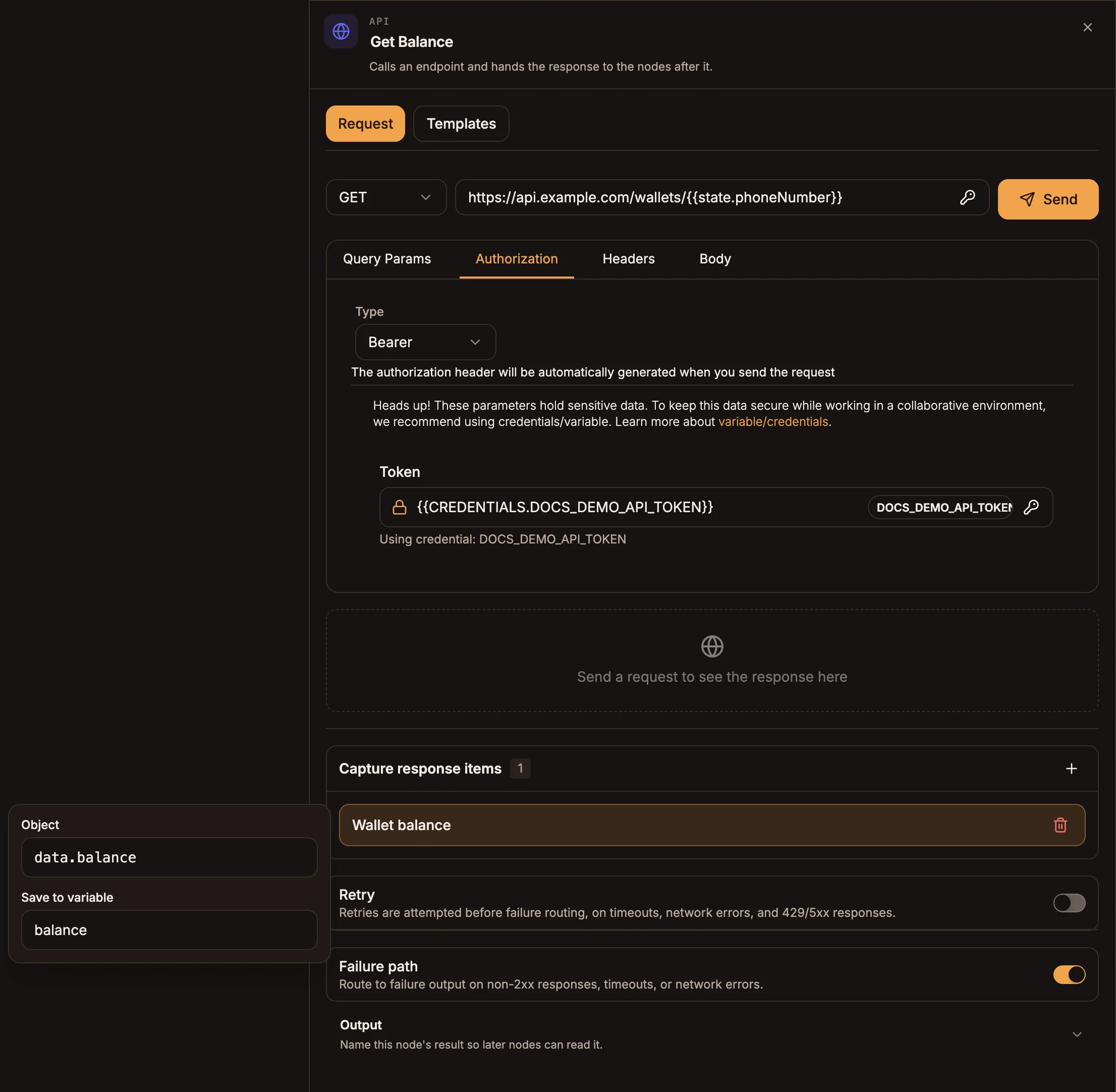
Settings
The panel has two tabs: Request and Templates.
Request
Prop
Type
Any field accepts variables ({{state.phone}}) and secrets (${CREDENTIALS.NAME}, inserted from the picker). See Variables and Credentials.
Templates
The Templates tab fills in a ready-made request you then adjust. Templates are grouped by category:
| Category | Templates |
|---|---|
| Payment | MTN Mobile Money, Airtel Money, Flutterwave |
| Verification | Phone Verification, ID Verification |
| Messaging | Send SMS (Africa's Talking), Send WhatsApp Message (Twilio) |
| Data Storage | Firebase - Create Document |
| Location | Geocoding API |
| Language | Translate Text |
| Weather | Weather Forecast |
Templates contain placeholder keys and IDs. Replace them with your own credentials before you publish.
Capture response items
Capturing saves the pieces of a response you need, so later nodes can read {{state.balance}} instead of digging through the whole body.
- Select + next to Capture response items.
- Select the new item and enter the Object path into the response, for example
data.account.balanceoritems[0].name. - In Save to variable, enter the variable name, for example
balance.
Paths use dots for fields and [0] for list positions; items[0].name and items.0.name are the same. A path that does not exist saves null.
On USSD, chatbot and automation projects, captures also run when the request fails, against the error details (below). That lets you capture a provider's error code, for example error.code, on the failure path.
Outputs
| Handle | When |
|---|---|
| Success | The endpoint answered with a 2xx status. |
| Failure | Failure path on: a non-2xx status, a timeout or a network error, after any retries. |
With the failure path off there is a single output. A failed request then raises an error: an automation run fails, and USSD and chatbot flows stop at the node. On voice projects the call carries on to the next node instead.
On success, the next node receives the response body. On failure it receives the details of the error:
{
  "statusCode": 404,
  "message": "Not Found",
  "errorCategory": "client_error",
  "timestamp": "2026-09-24T10:15:00.000Z",
  "requestDetails": { "method": "GET", "url": "https://api.example.com/orders/123" },
  "response": { "error": { "code": "ORDER_NOT_FOUND" } }
}
The fields of the provider's own error body are also copied to the top level, so error.code works as a capture path. errorCategory is client_error, server_error or network_error.
Example
A USSD flow checks a wallet balance:
- Menu (Main): "1. Check balance".
- API, GET
https://api.example.com/wallets/{{state.phoneNumber}}, Authorization Bearer with a stored credential, capturedata.balancetobalance. - Success to a Menu: "Your balance is GHS
{{state.balance}}". - Failure to an Error node: "We could not reach your wallet. Try again later."
Tips and limits
- Retry is not applied on chatbot or voice projects. Chatbots and calls use a single attempt.
- Voice projects wait at most 6 seconds for a response, then take the failure path. Keep endpoints used in calls fast.
- A USSD session has only a few seconds per screen. Slow APIs, and retries with long delays, can end the session before the next screen appears.
- Send runs from your browser, so it can reach endpoints the live runtime cannot (a local server) and vice versa.