
Error Trigger
Starts the workflow when another run in the same project fails, with the failure's details, so one handler can alert your team.
The Error Trigger starts a workflow when another run in the same project fails. Build one error handler that alerts your team or opens a ticket, instead of adding alert nodes to every workflow.
Where you find it
Drag Error Trigger from the Triggers group of an automation project's node palette. A workflow can have several triggers; each one starts the workflow from its own output.
When to use it
- Alert your team in Slack, by email or by SMS when a run fails.
- Record failures in a data store for a weekly review.
Settings
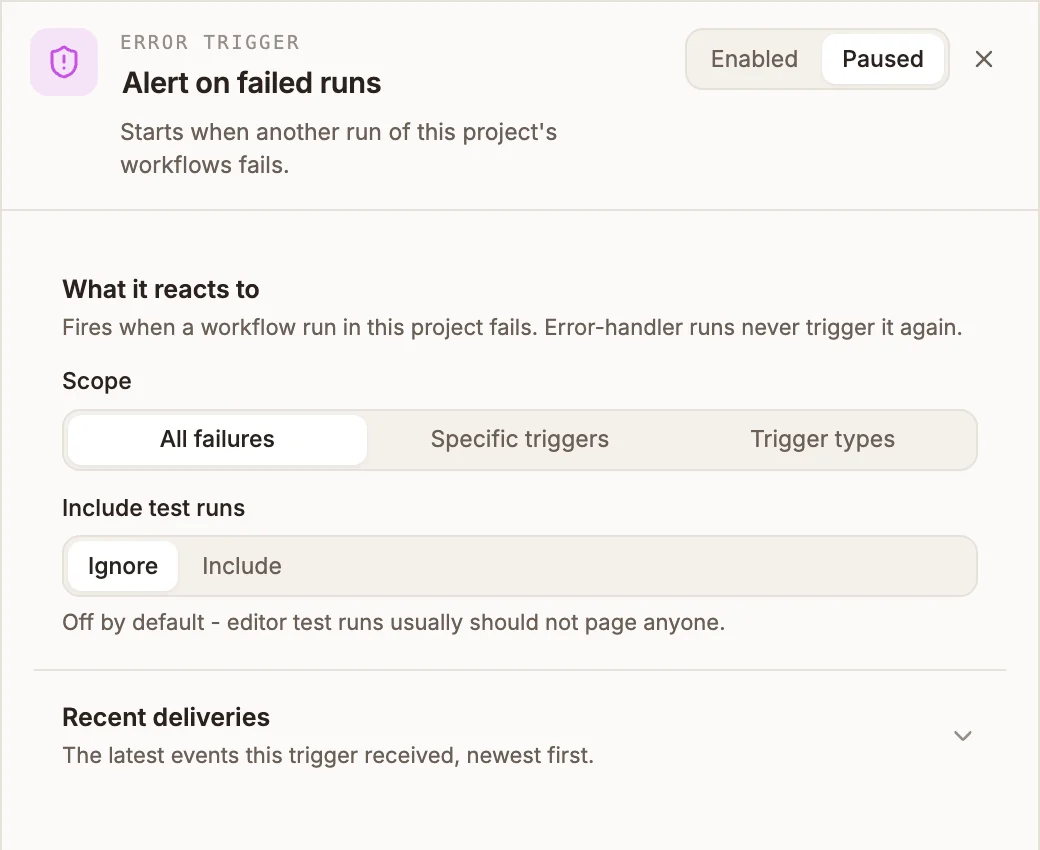
The panel header has an Enabled / Paused switch. New triggers start Enabled; a paused trigger shows Paused on its canvas card and starts no runs.
What it reacts to
Prop
Type
The Error Trigger has no Send test event. Recent deliveries lists the failures it handled.
Outputs
The failure arrives as input.payload.error:
| Field | Contains |
|---|---|
errorMessage | What went wrong. |
failedNodeKey | The step that failed. |
failedInvocationId | The failed run's id, to find it in the Activity tab. |
failedTriggerNodeId, triggerSource | Which trigger started the failed run, and its kind. |
inputSnapshot | The failed run's input, with secrets redacted. |
isDryRun | Whether the failed run was a test run. |
failedAt | When it failed. |
{{state.trigger.type}} is ERROR.
Tips and limits
- It reacts only to runs in the same project, and in the same version: failures in your draft start the draft's handler, failures in the published workflow start the published one.
- Error-handler runs never start another error-handler run, so a failing handler cannot loop.
- A workflow can have only one Error Trigger.
See Error workflows for a full walkthrough.
Related
Manual Trigger
Starts the workflow when you run it from the editor, with optional JSON input. For testing and for jobs you start by hand.
Stripe Trigger
Starts the workflow on Stripe events such as a successful payment, a completed checkout or a new subscription. Buni.ai registers the webhook in Stripe for you.