
Filter
Continues the flow only when a condition is true, and stops the run quietly otherwise.
Filter is a gate. When its condition is true the flow carries on; when it is false the flow stops at the filter, without an error. On voice projects you can send rejected calls down a separate false path instead.
When to use it
- Only continue an automation for events you care about, such as orders over a certain value.
- Skip the rest of a flow for users who have already completed it.
- When a false condition should lead somewhere rather than stop, use a Router with a fallback path.
Not for USSD projects
Filter appears in the USSD palette, but the USSD runtime has no implementation for it, so a USSD flow that reaches it fails. Use a Router instead.
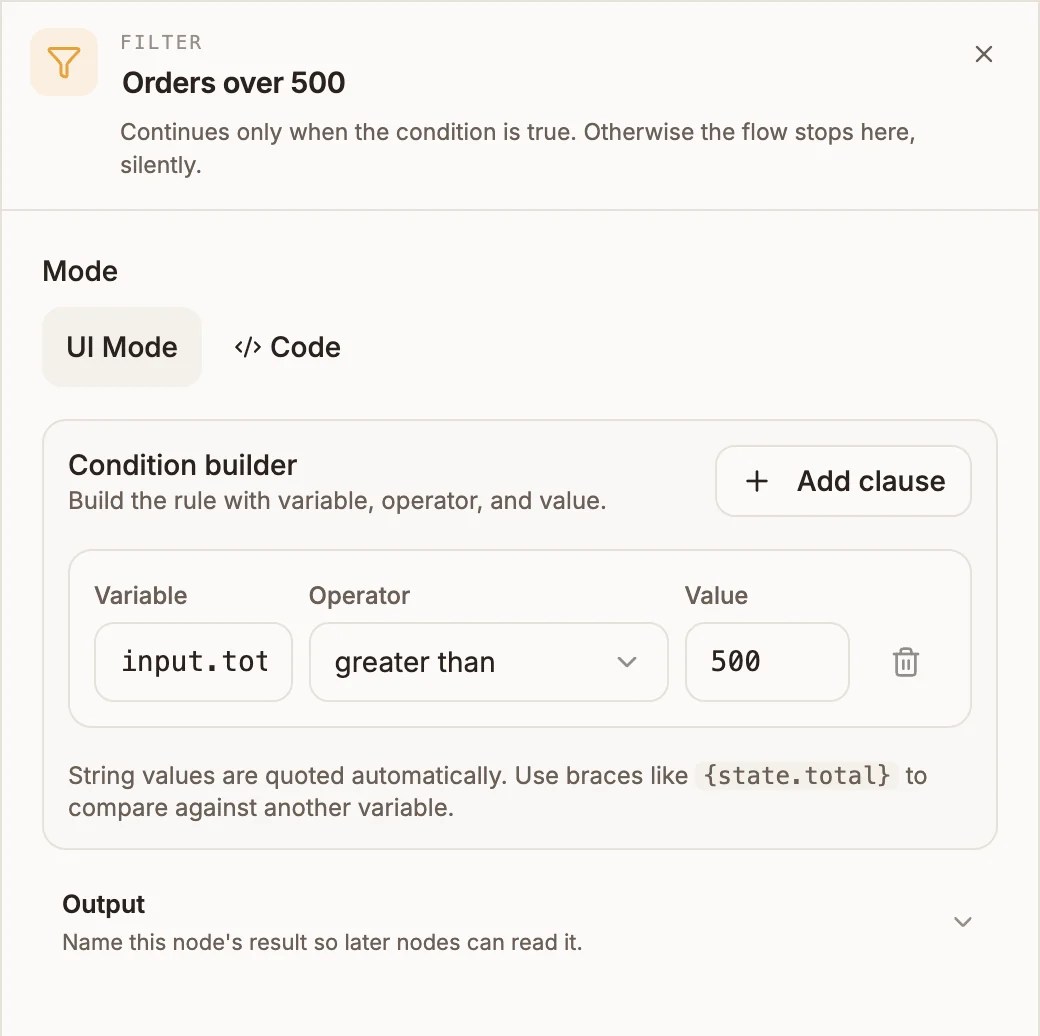
Settings
Prop
Type
On chatbot and automation projects, a Filter with no condition stops the project from publishing.
Outputs
| Handle | When the flow takes it |
|---|---|
| true | The condition is true. |
| false | Voice projects only: the condition is false. With nothing connected, the call ends. |
When the condition is false on other project types, the flow simply stops:
| Project type | What happens when the condition is false |
|---|---|
| Automation | The run ends and is recorded as successful. Nodes after the filter do not run. |
| Chatbot | The turn ends and the user gets no reply to that message. |
| Voice | The call takes the false path, or ends if it is not connected. |
Example
An automation starts on every new order from a webhook, but should only alert the sales team about large ones:
- Webhook trigger receives the order.
- Filter:
input.totalgreater than500. - Messaging sends a WhatsApp alert to the sales lead.
Orders of 500 or less stop at the filter, and the run shows as succeeded.
Tips and limits
- On chatbot and automation projects, connect only the true handle. Those runtimes do not read the false handle, and with both connected the passing path can go to either node.
- A chatbot user who fails the filter gets silence. If they should hear something, use a Router and send the false case to a Reply.
- On automation projects, a condition that throws an error (for example reading a field of an undefined value) counts as false.