
Verify Caller
Text a one-time code to the caller and mark the call verified when they key it in. Protected AI tools require this.
The Verify Caller node texts a six-digit code to the number the caller is ringing from and asks them to key it in. A match marks the call as verified. Tools on an AI Voice Agent that are set to Only for verified callers refuse to run until this has happened.
When to use it
- Before anything account-specific, such as reading a balance or changing a booking. Caller ID alone is not proof of identity, because it can be spoofed.
- Before an AI Voice Agent that has protected tools, so those tools can run.
To collect a PIN or account number that you check yourself, use Gather Input followed by an API or Data Store lookup instead.
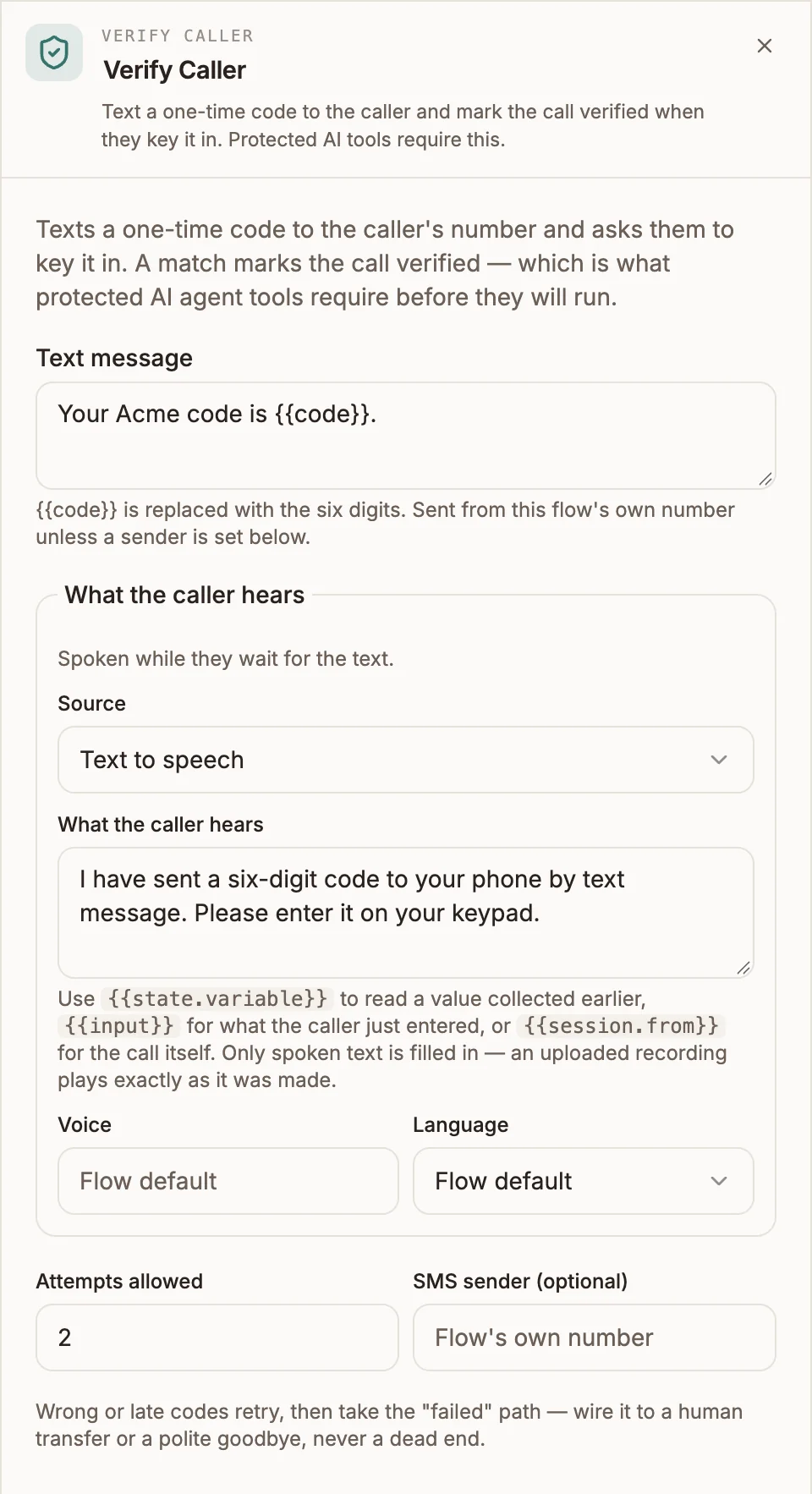
Settings
Prop
Type
What the caller hears uses the shared voice prompt editor: Text to speech (with Voice and Language), Uploaded audio, or Audio URL.
The code is always six digits and the caller keys it in on the keypad. The text is sent over the same carrier as the call.
Outputs
| Handle | When the call takes it |
|---|---|
| verified | The caller entered the correct code. The call is marked verified for the rest of the call. |
| failed | The caller used up their attempts, or the text could not be sent. |
After a wrong code the caller hears "That code did not match. Please enter the six digits again." and can try again. If the code has expired by then, a fresh one is sent.
The code never appears on the canvas, in variables or in logs. The node writes no variables you can read; the verified state is checked by protected tools only.
Example
A caller verifies before an AI agent can make changes to their booking.
Call Start
  → Verify Caller
      Text message: "Your Acme code is {{code}}."
      ├─ verified → AI Voice Agent (tool "cancel_booking" set to Only for verified callers)
      └─ failed ──→ Play ("Sorry, I could not verify you.") → Transfer
Tips and limits
- Always connect failed. If it is not connected, a caller who cannot verify continues down the verified path as if nothing happened, although the call is not marked verified. Validation warns about this. Send failed to a person or a polite goodbye.
- Keep
{{code}}in the message. If you edit Text message and remove it, validation reports an error, because the caller would receive a text with no code in it. - Verification is enforced by the call engine, not by the AI model's judgement. However the agent is instructed, a tool marked Only for verified callers does not run on an unverified call.