
Function
Runs your own JavaScript on values from the flow and passes its return value to the next node.
Function runs a JavaScript function you write. It receives the value the previous node passed on, plus any state variables you list as inputs, and whatever it returns goes to the next node and, if you name it, into state.
When to use it
- Reshape an API response before showing it: pick fields, format amounts, build a menu list.
- Calculate something the other nodes cannot, such as a fee, a checksum or a score.
- Parse or validate user input with a regular expression.
- For simple assignments, Set Fields needs no code. For branching, return a value here and route on it with a Router.
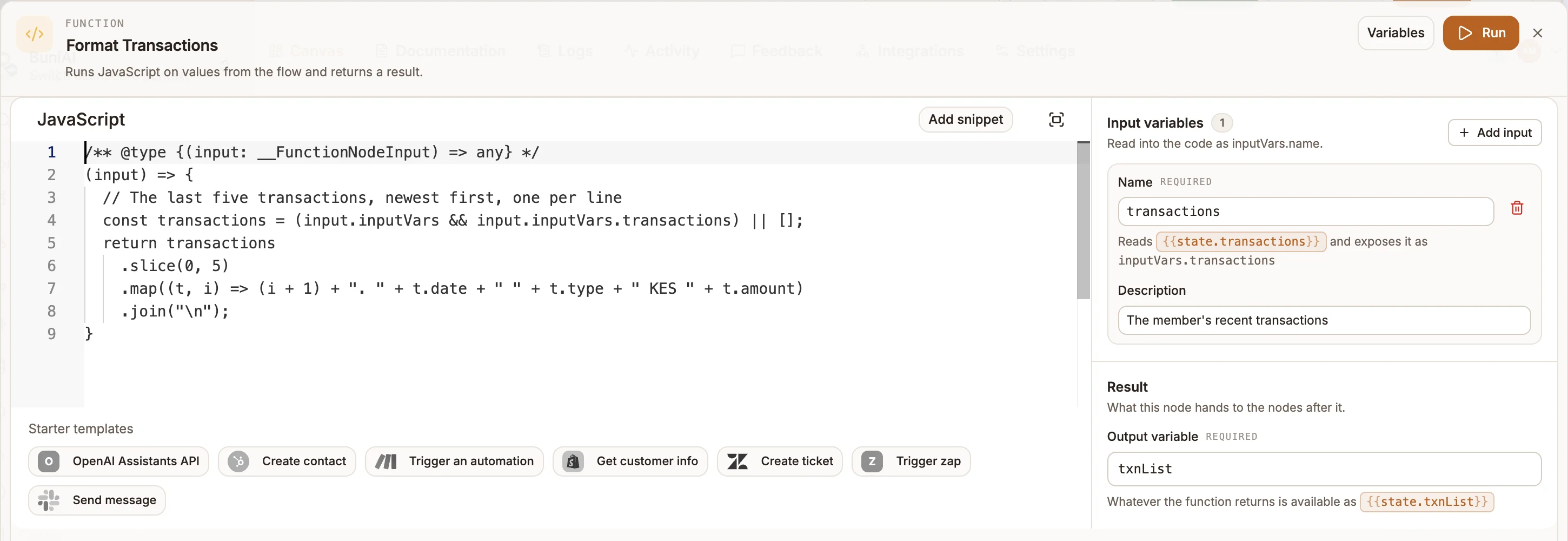
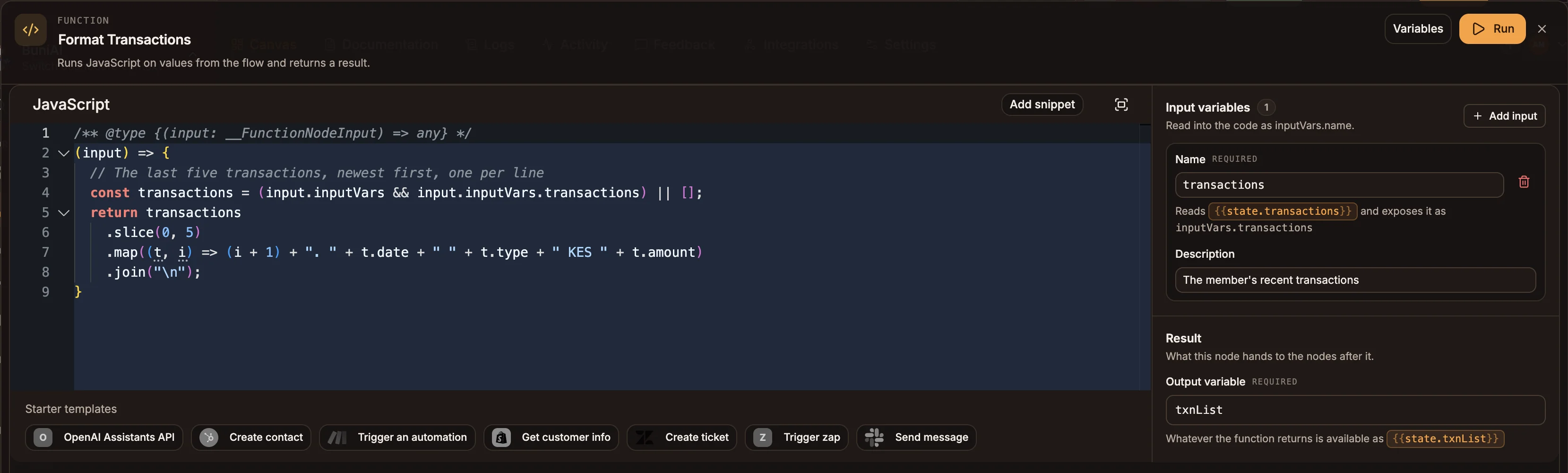
Settings
The editor opens full screen: the code on the left, settings on the right.
Prop
Type
What the function receives
The first argument is the node's input. What else is passed, and what the input looks like, depends on the project type:
| Project type | Call | First argument |
|---|---|---|
| USSD | fn(input, sessionId, state, setNextCall, storeHandler) | The previous node's output. With input variables, an object: the output's fields plus inputVars (or { input, inputVars } when the output is not an object). |
| Chatbot | fn(input, sessionAttributes, requestAttributes, state, intent, storeHandler) | Same rule as USSD. |
| Automation | fn(input) | Always an object: the previous node's fields, plus inputVars and state. Inside a Loop body it also carries item, index and loop. |
| Voice | Runs in an isolated sandbox | The code can read state, input, session, each flow variable by name, and $call (from, to, callId, turn). A function that throws or times out does not end the call: the flow moves on to the next node. |
In automations, input is never an array
When the previous node returns a list, an automation wraps it: your function receives { payload: [...] }, not the list itself. Array.isArray(input) is always false there. Read the list from input.payload:
(input) => {
  const rows = Array.isArray(input.payload) ? input.payload : [];
  return rows.filter((row) => row.status === 'active').length;
}
The function can be async or return a promise; the flow waits for it.
Outputs
One output. The return value:
- is passed to the next node as its input, and
- is saved as
{{state.outputVariable}}when you set Output variable.
Example
A USSD flow fetches a customer's last five transactions with an API node, then formats them for a 160-character screen:
(input) => {
  const txns = Array.isArray(input?.transactions) ? input.transactions : [];
  return txns
    .slice(0, 5)
    .map((t, i) => `${i + 1}. ${t.date} ${t.amount}`)
    .join('\n');
}
With Output variable set to txnList, the next Menu shows {{state.txnList}}.
Tips and limits
- USSD and voice projects are security-checked when you publish. Code that uses
eval, theFunctionconstructor,process,fetch,XMLHttpRequest, file-system or child-process modules, or reflection tricks to reach them, is rejected. Read secrets withCREDENTIALS.NAMEinstead ofprocess.env, and call external services with an API node. - Voice functions have 3 seconds to run, in a sandbox that holds no platform secrets.
- Paths out does not branch yet. The node has a single output handle whatever paths you declare. Return a value and branch on
{{state.outputVariable}}with a Router. - Run in the editor executes in your browser, not on the channel runtime, so behaviour that depends on the runtime (the automation input wrapping above, the security check) only shows up in the simulator or a real run.
- An automation Function whose code does not evaluate to a function falls back to passing its input through unchanged, with a warning in the run log.