
Resolve
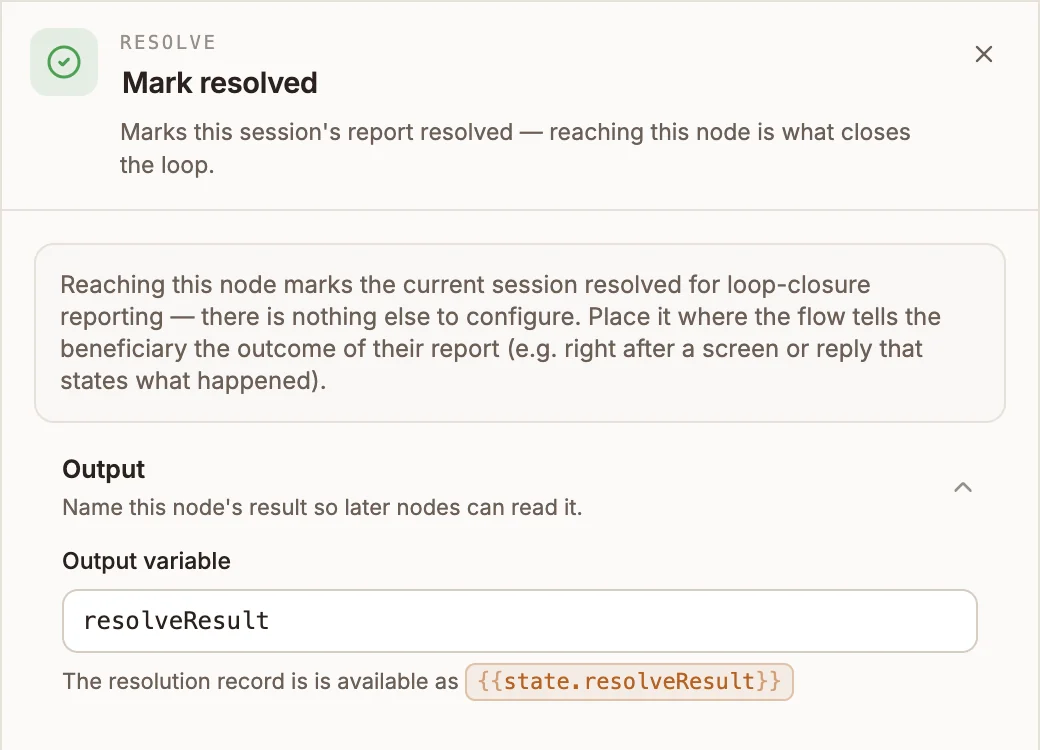
Records that the flow acted on the user's report, for loop-closure reporting. Reaching the node is the event; there is nothing to configure.
Resolve marks the conversation's underlying report as acted on. It has no settings: reaching the node is the event. Buni.ai uses it in loop-closure reporting, which tracks whether people who report something through your channels are answered, acted on and told the outcome.
When to use it
- A beneficiary reports a problem by USSD, and the flow can settle it on the spot (a balance check, a status lookup): put Resolve where the flow gives them the answer.
- A chatbot flow completes the request on its own, so no agent needs to close it in the Inbox.
- When a person on your team settles the report, they resolve it from the Inbox instead; see Resolving conversations.
USSD and chatbot projects
Resolve appears in the automation palette too, but automations have no conversation to resolve: the automation runtime passes straight through it with a warning in the run log.
Settings
Prop
Type
What it records
| Project type | Effect |
|---|---|
| Chatbot | The conversation is marked resolved and handed back from any agent to the bot. Its report is stamped as acted on. |
| USSD | The session's activity record is marked resolved. Its report is stamped as acted on. |
Loop closure has four states: Unanswered, Awaiting action, Acted, not told and Closed. Resolve moves a report to Acted, not told, not Closed: the node can record that the flow acted, but not that the person understood the outcome. A report is closed when someone on your team records the outcome with a message in the Inbox. The loop-closure figures appear on your organization's Overview page and on the Routes page.
Outputs
One output. {{state.resolveResult}} holds { success: true, resolvedAt } with the time as a number, or success: false and an error if the write failed. The flow continues either way.
Example
A USSD service lets farmers report a missed input delivery:
- Menu collects the report.
- API node checks the delivery system and reschedules the delivery.
- Menu (final screen): "Your delivery is rescheduled for Friday."
- Resolve, connected after the screen that tells the user the outcome.
Tips and limits
- Place it where the user is told the outcome, not where the work happens. The point of the report is whether the person heard back.
- A failed write does not stop the flow. Check
{{state.resolveResult.success}}if you need to know. - Resolving from the flow does not send the user anything. Pair it with a Menu, Reply or Messaging node that does.