
USSDChatbotVoice (IVR)Automation
Contact
Creates or updates a contact from flow data, adds them to contact groups and sets custom properties, or retrieves an existing contact.
Contact saves the person you are talking to into your workspace's contacts. It can create or update a contact, add them to groups and set custom properties, or look up a contact that already exists.
When to use it
- Save everyone who completes a registration flow as a contact.
- Tag people who opt in to a campaign by adding them to a group.
- Store a preference, such as a preferred language, on the contact profile.
- Look up a returning user's saved details at the start of a flow.
- For records that are not people, or that need your own structure, use Data Store.
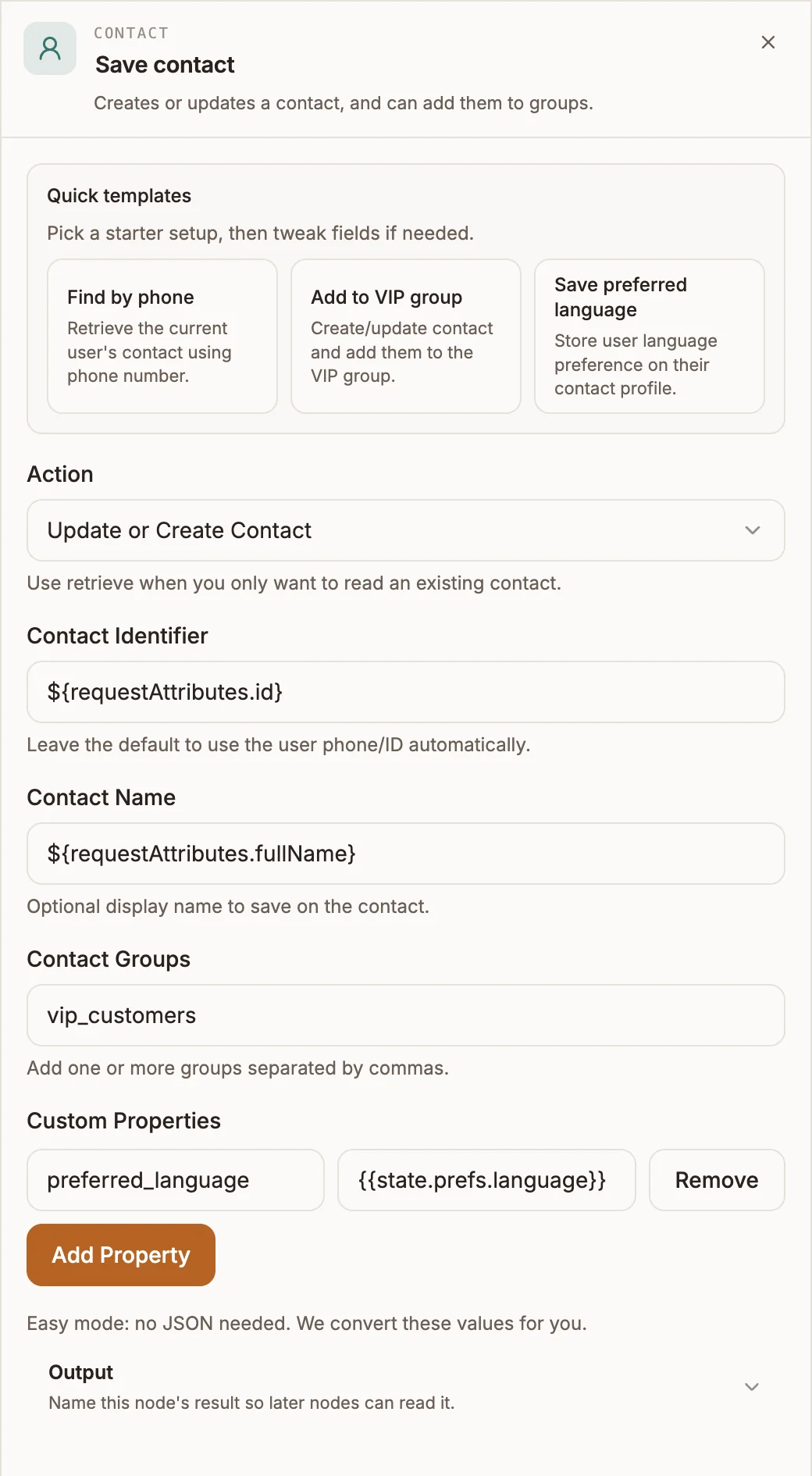
Settings
Quick templates at the top fill in the node for common jobs: Find by phone, Add to VIP group and Save preferred language.
Prop
Type
Outputs
One output. The result is passed to the next node and saved as {{state.contactUpdate}} (or your output variable):
| Action | Result |
|---|---|
| Update or Create Contact | success, identifier, groups (the group IDs added) and the store's response. On failure, success is false and error says why. |
| Retrieve Contact | success (false when no contact matched), identifier, and contact: the contact record with its name, phone number, groups and custom properties. |
Example
A WhatsApp chatbot asks new users for their preferred language, then remembers it:
- Form with output variable
prefscollects alanguagefield with the choices English, French and Swahili. - Contact, Update or Create Contact, Contact Groups set to your opt-in group's ID, custom property
preferred_language={{state.prefs.language}}. - Next time, a Contact node with Retrieve Contact and output variable
contactLookupat the start of the flow reads it back as{{state.contactLookup.contact.preferred_language}}.
Tips and limits
- Contact Groups takes group IDs, not names. Copy the ID from the group on the Contacts page. A value that is not a group ID is stored as typed and matches no group.
- Custom properties are saved as top-level fields on the contact, so avoid names that clash with built-in ones such as
nameorphone_number. - On USSD, voice and automation projects the identifier is saved and matched as the contact's phone number, so give it a phone number there. Pointing it at an email creates a contact whose phone number is that email.
Related
Last reviewed 24 September 2026