
Error handling
Keep a flow working when input is invalid or a service fails, with the Error node, failure paths, retries, Filter and automation error workflows.
Things go wrong in every live flow: a user types letters where you expected a number, a payment provider times out, an API returns an error. This page covers the tools the canvas gives you to catch those cases and give the user a way forward.
| Problem | Tool |
|---|---|
| The user's input is invalid | Router default branch, then an Error node back to the question |
| An API or integration call fails | Failure path on the API or Integration node |
| A call fails only now and then | Retry on the API or Integration node |
| A run should not continue at all | Filter |
| A payment or form does not complete | The failed handle on Collect Payment, the failure and cancel handles on Form |
| An automation run fails | An error workflow with the Error trigger |
Invalid input: the Error node
The Error node shows the user a message about what went wrong, then continues to the node you connect after it. Its settings are an Error Message and an optional Output variable.
A typical USSD pattern:
Menu "Enter amount"
  -> Router
       state.amount > 0      -> continue
       default               -> Error "Enter a number greater than 0"
                                  -> back to Menu "Enter amount"
Write the message as an instruction ("Enter a 10-digit phone number"), not a fault report ("Invalid input"). Template variables work in it.
Failed calls: failure paths
The API and Integration nodes have a Failure path switch, on by default: "Route to failure output on non-2xx responses, timeouts, or network errors." While it is on, the node has two output handles, success and failure. Connect failure to the recovery step, for example:
- a reply that says the service is unavailable and offers to try again,
- a Live Chat handoff in a chatbot,
- a Transfer to a person on a voice line,
- a Messaging alert to your team.
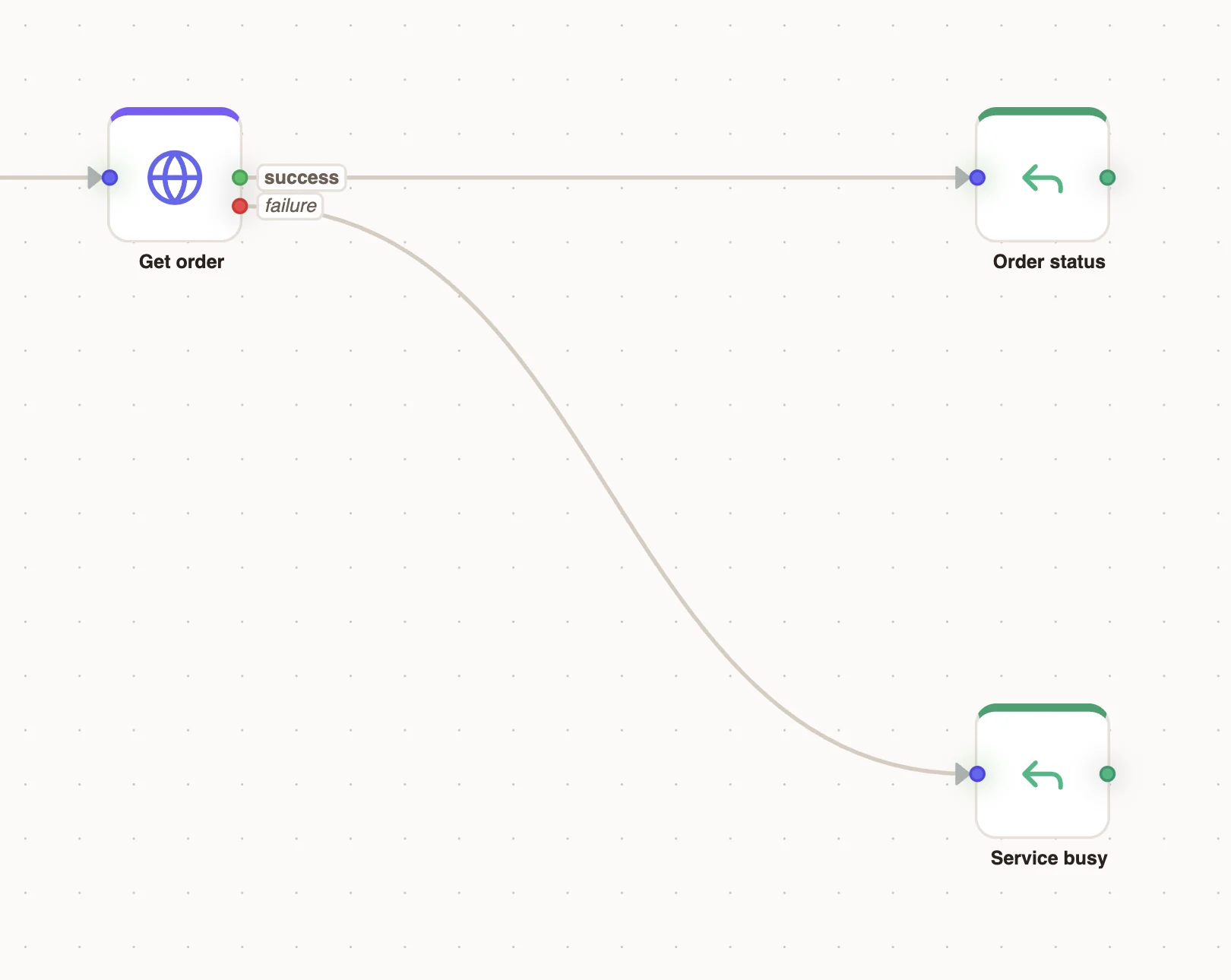
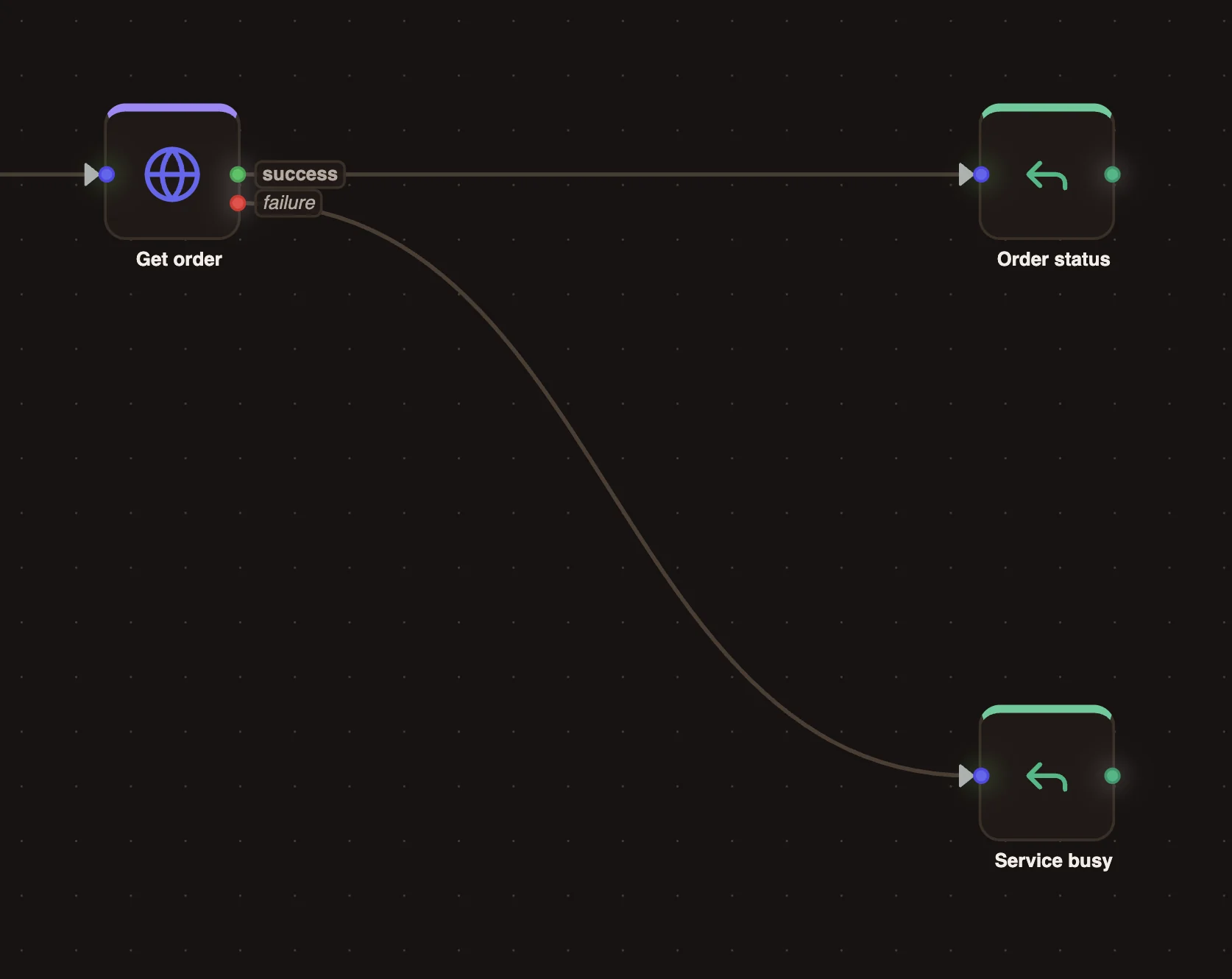
If Failure path is off, the node has one output and a failed request continues down it, so the next node must check the response itself. Leave it on unless you have a reason not to.
Retries
Turn on Retry on an API or Integration node to try the request again before giving up. "Retries are attempted before failure routing, on timeouts, network errors, and 429/5xx responses."
| Setting | Values |
|---|---|
| Attempts | 1 to 5 |
| Strategy | Fixed (the same delay each time) or Exponential (the delay grows) |
| Delay (ms) | Wait between attempts, from 100 ms |
Only the last failure is routed to the failure handle. Keep retries short in USSD and voice flows: the user is waiting on the line, and USSD sessions time out.
Retry only requests that are safe to repeat. A request that charges a card or creates a record could run twice; protect it with an idempotency key if the service supports one.
Stopping a run: Filter
A Filter node "Continues only when the condition is true. Otherwise the flow stops here, silently." Use it in automations to skip events you do not care about, for example orders below a threshold. In voice projects you can also connect its false handle so the call goes somewhere instead of ending.
Because a filter stops without telling anyone, do not use one where a user is waiting for an answer. Use a Router with a default branch instead.
Automation error workflows
In an automation project, an Error trigger starts a workflow "when another workflow run fails". Use it to alert your team, log the failure to a data store or open a case. See Error workflows.
Test the unhappy paths
In the simulator:
- Enter invalid input at every question and check the user gets a helpful message and can try again.
- Point an API node at a URL that fails and check the failure path runs.
- Follow every loop and confirm there is a way out.