
Voice (IVR) overview
Answer and place phone calls with a flow built on the canvas, running on your own carrier account.
A Voice (IVR) project answers phone calls. A customer rings your number, your flow picks up, plays a menu, takes what they press or say, checks whatever it needs to against your own systems, and puts them through to the right person, or handles the whole thing itself.
It is the same canvas you build chatbots on. The nodes differ because a phone call differs: there is no screen, the caller cannot scroll back, and silence means something. Variables, API calls, data stores, versioned publishing and the simulator work the way they already do.
When to use IVR rather than chat
| Reach them by | When |
|---|---|
| IVR | They are already calling you. Phone support lines, order status, appointment reminders, payment collection, after-hours routing. |
| USSD | They have a feature phone and no data. Menus dialled as *384#. |
| Chatbots | They are on WhatsApp, web chat, Telegram, Messenger, Instagram or Slack. |
A workspace commonly runs more than one. A bank might answer calls with an IVR, serve feature phones over USSD, and run a WhatsApp assistant: three projects, one team, one canvas. See Choose a project type.
What a call does
- A carrier receives the call. Twilio, Infobip or Africa's Talking, on your account and your number.
- The carrier posts to your project's webhook, which is bound to a phone number on the Routes page.
- The shared voice runtime answers, loads your published flow, and runs one turn: play a prompt, wait for a keypress, transfer, record, hang up.
- The caller responds, the carrier reports it, and the next turn runs.
- The call ends and a call record is written: who called, how long, which nodes it reached, and how it ended.
You never deploy a server. Publishing compiles the flow into a version the shared runtime reads.
Two directions
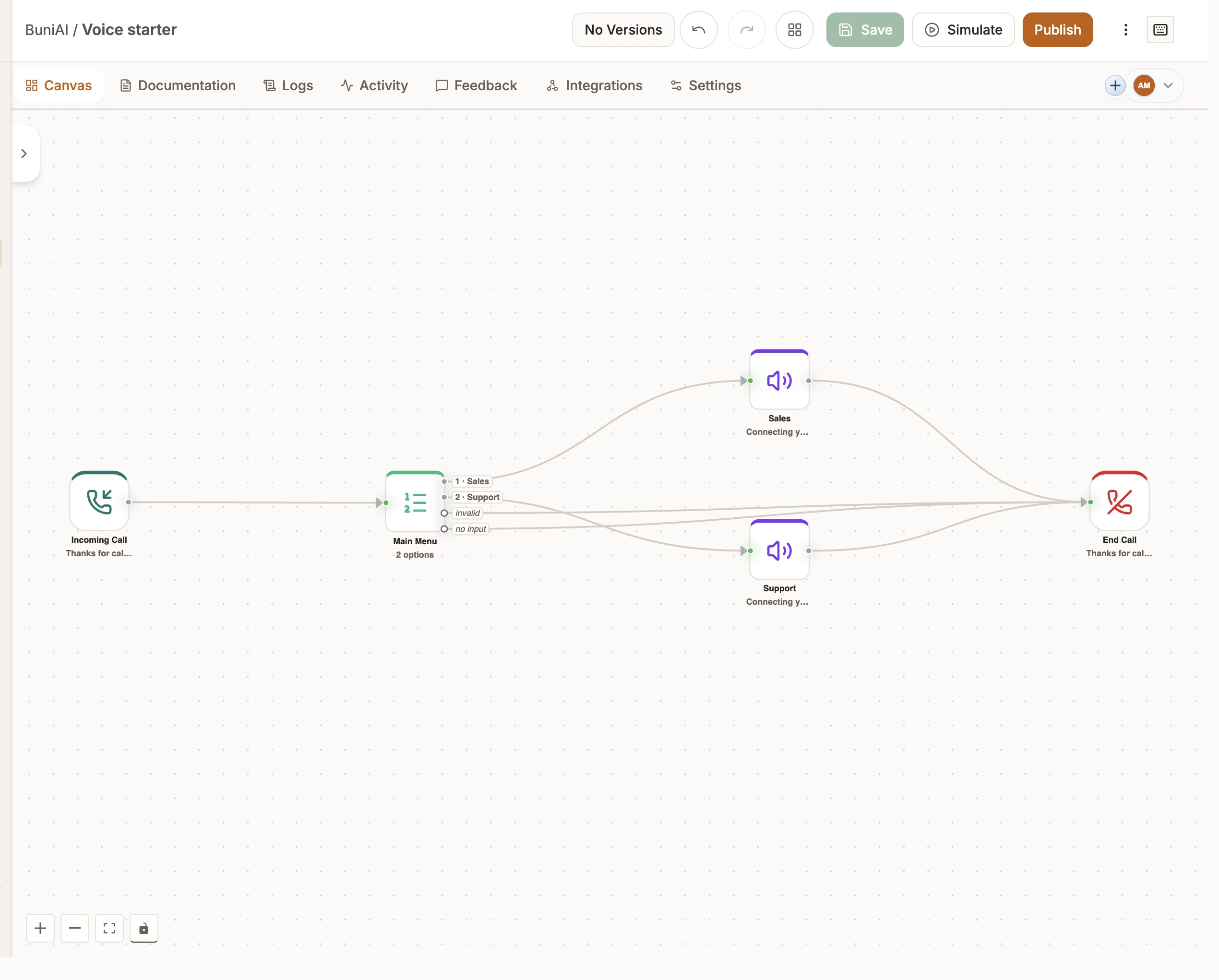
Inbound starts at an Incoming Call node when someone rings your number.
Outbound starts at an Outbound Call node when the project places a call. See Outbound calls.
A project can do both. They are separate entry points on the same canvas, and a project holds at most one of each.
Nodes
A Voice (IVR) project offers two families: nodes built for phone calls, and channel-agnostic nodes you already use elsewhere, such as Router, API, Data Store, Date & Time and Function. Chat-only nodes (Reply, Intent, Live Chat, Messaging, Form) are not offered, because they have no meaning on a call.
Triggers
Voice
AI
Logic
Data
Integrations
Handles, and why the muted ones matter
Voice nodes carry more than one exit. The bright handle is the happy path; muted handles are what happens when a call does not go that way:
| Node | Muted handles |
|---|---|
| Menu (voice) | invalid (wrong key), no input (silence) |
| Collect Input | invalid, no input |
| Queue | waited too long |
| Transfer | no answer / busy |
| Warm Transfer | handed back (they declined), no answer / busy |
| Verify Caller | failed |
| Outbound Call | voicemail, no answer |
| AI Voice Agent | handoff |
A caller reaches a muted handle on an ordinary call: they were in a noisy market, the agent was on another line, the number went to voicemail. Leaving these unwired is the most common reason a flow feels broken to whoever is on the phone. The canvas flags most of them as you build.
What you need before starting
- A carrier account (Twilio, Infobip or Africa's Talking) with a phone number you control, saved as a credential on the project. Calls run on your account, so the carrier bills you for them.
- Nothing else to get started. Prompts use the carrier's own text-to-speech out of the box. AI voices and speech-recognition engines are optional and configured in Voice settings.
Your plan also sets limits on voice minutes, phone numbers and concurrent calls. See Billing and usage.