
Weekly digest and email notifications
What the weekly summary email contains, how to unsubscribe or turn it off, and which other emails Buni.ai sends.
Once a week Buni.ai emails a short summary of how your organization's conversations went. This page explains what is in it, how to stop it, and the other emails the platform sends.
The weekly summary
The summary, titled "Your week at" and your organization's name, is sent every Monday at 08:00 UTC and covers the past seven days. It goes to the organization's email address, or to an admin if the organization has none.
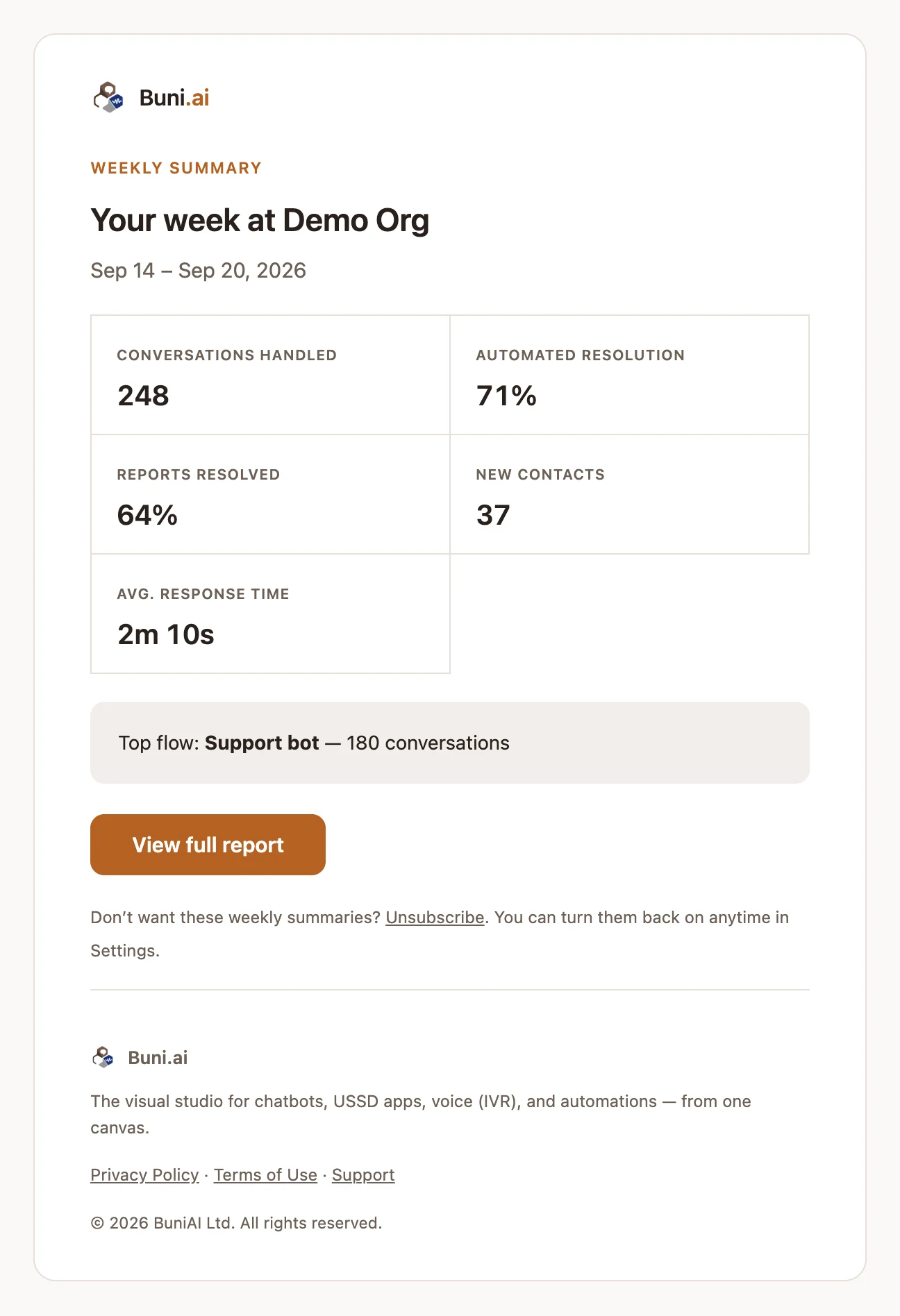
| Figure | What it counts |
|---|---|
| Conversations handled | Chatbot conversations in the week. |
| Automated resolution | The share of those conversations that stayed with the bot and were never handed to a person. |
| Reports resolved | The share of reports that had an outcome recorded and the person told. Only shown once you have recorded outcomes. |
| New contacts | New contacts. Shows a dash when no figure is available. |
| Avg. response time | Average response time. Shows a dash when no figure is available. |
| Top flow | The project with the most conversations, and how many. |
View full report opens your Inbox. In a week with no conversations, the email says so and links to your projects instead.
Automated resolution is not loop closure
Automated resolution only means nobody asked for a person. It does not mean the customer's problem was solved. Reports resolved is the stricter figure.
Stop the weekly summary
Either:
- Select Unsubscribe at the bottom of the email. This turns the summary off for the whole organization.
- Go to Settings›Email notifications and turn off Weekly summary emails, then select Save changes.
To turn it back on, switch Weekly summary emails on again in Settings.
Other emails Buni.ai sends
| When it is sent | |
|---|---|
| Welcome | When you sign up. |
| Organization invitation | When someone invites you to an organization. See Users and roles. |
| Project invitation | When someone shares a project with you. |
| New chat assigned | When a chat is assigned to you while you are offline, if you turned on email notifications in the Inbox. |
| New customer message | When a customer writes in one of your chats while you are offline, if you turned this on in the Inbox. |
| Approval requested | When an automation run reaches an Approval node and is waiting for a decision. |
| AI flow ready | When Buni finishes building a flow in the background. See AI assistant. |
| Payment failed | When a subscription payment does not go through. See Billing and usage. |
Inbox emails are controlled per agent, in the Inbox Settings under Notifications, including a minimum gap between emails for the same chat and quiet hours. See Assignments and routing.