
Feedback
See the ratings people leave in the web chat widget at the end of a conversation, and export them.
The project Feedback tab shows the feedback people submit through the web chat widget when a conversation ends. It is available on every project type except Automation; it fills up once the widget's feedback form is turned on.
Collect feedback
In your web chat widget settings, turn on Show feedback after session end. When a conversation ends, the widget asks:
- How would you rate this conversation? A thumbs up or thumbs down.
- How easy was it to resolve your issue? From Very Easy to Very Difficult.
For feedback on WhatsApp, Telegram, Messenger or Instagram, use a CSAT survey instead.
Read the results
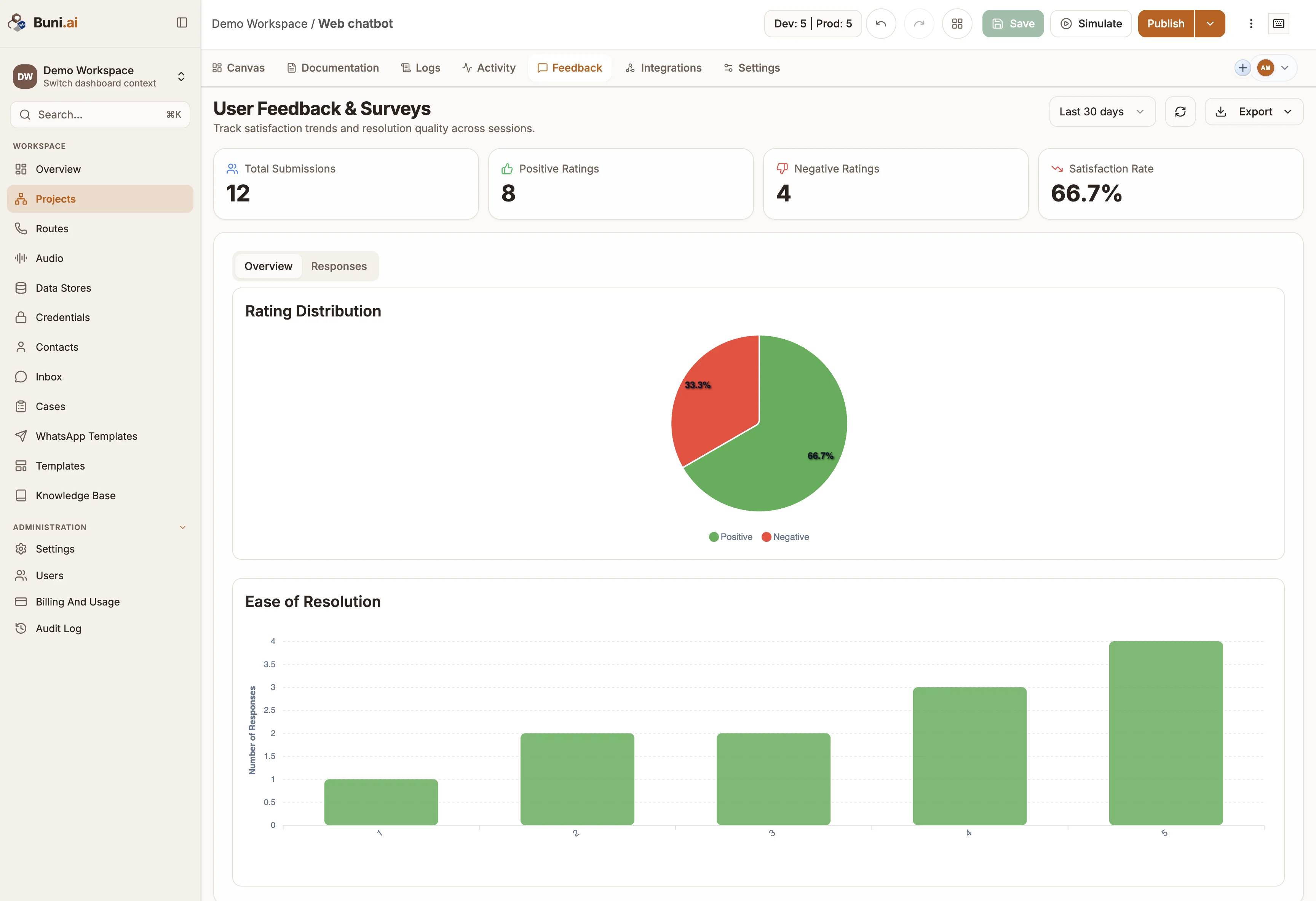
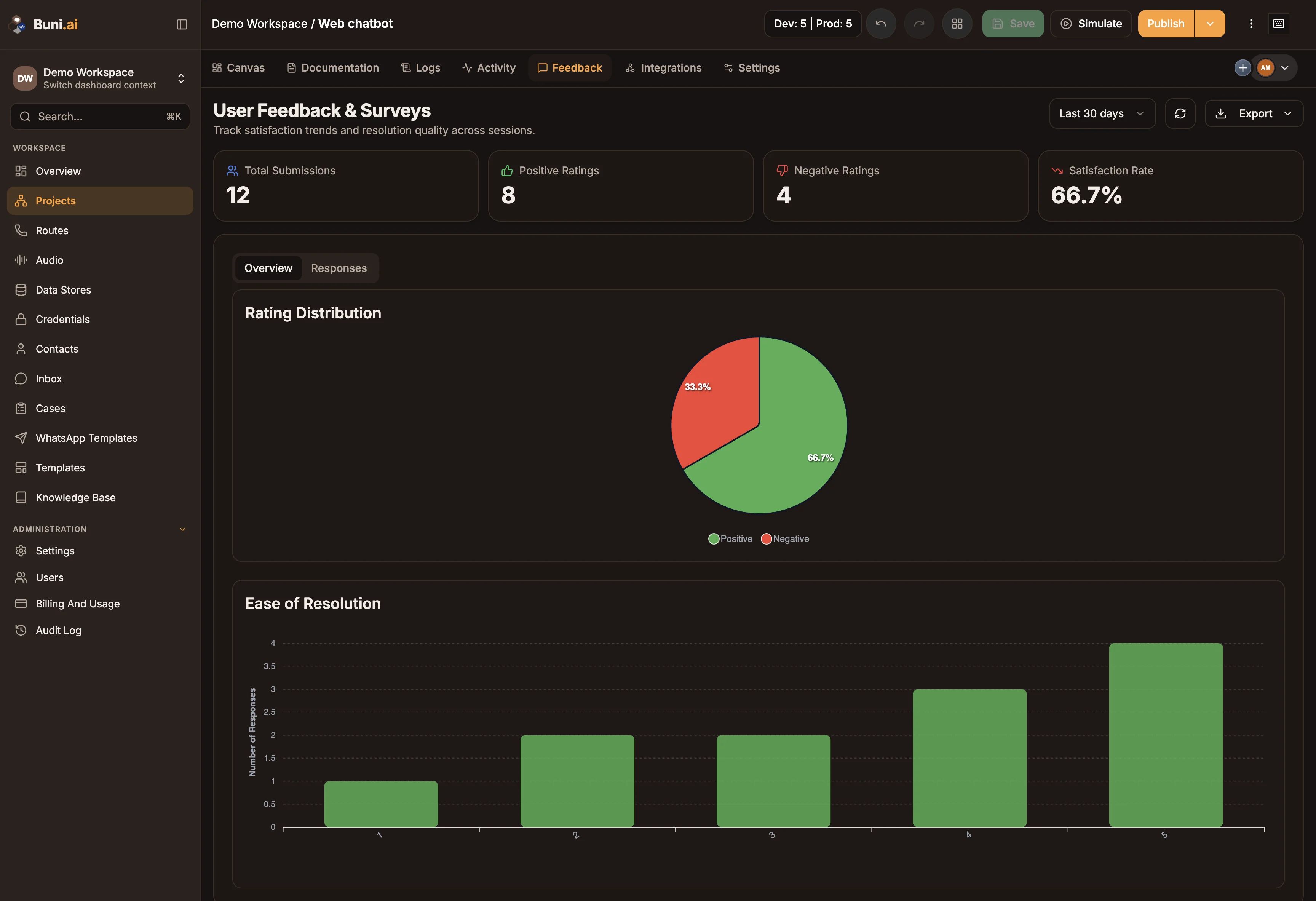
User Feedback & Surveys shows, for the selected time range:
| Figure | Meaning |
|---|---|
| Total Submissions | Feedback forms submitted. |
| Positive Ratings and Negative Ratings | Thumbs up and thumbs down. |
| Satisfaction Rate | The share of ratings that were positive. |
The Overview tab charts the Rating Distribution and Ease of Resolution. The Responses tab lists each submission with its Date, Rating, Ease of Resolution, Platform and Session ID.
Pick the range at the top: Last 7 days, Last 30 days, Last 90 days, All time or Custom range. To download the data, open Export and choose Export CSV or Export JSON.