Logs and activity
Use a project's Logs tab to troubleshoot runs event by event, and its Activity tab to see how people use the project over time.
Every project has two tabs for watching it run: Logs, for the raw events behind each run, and Activity, for trends and the places people get stuck. Both are in the project's tab bar next to Canvas. See The project workspace.
Logs
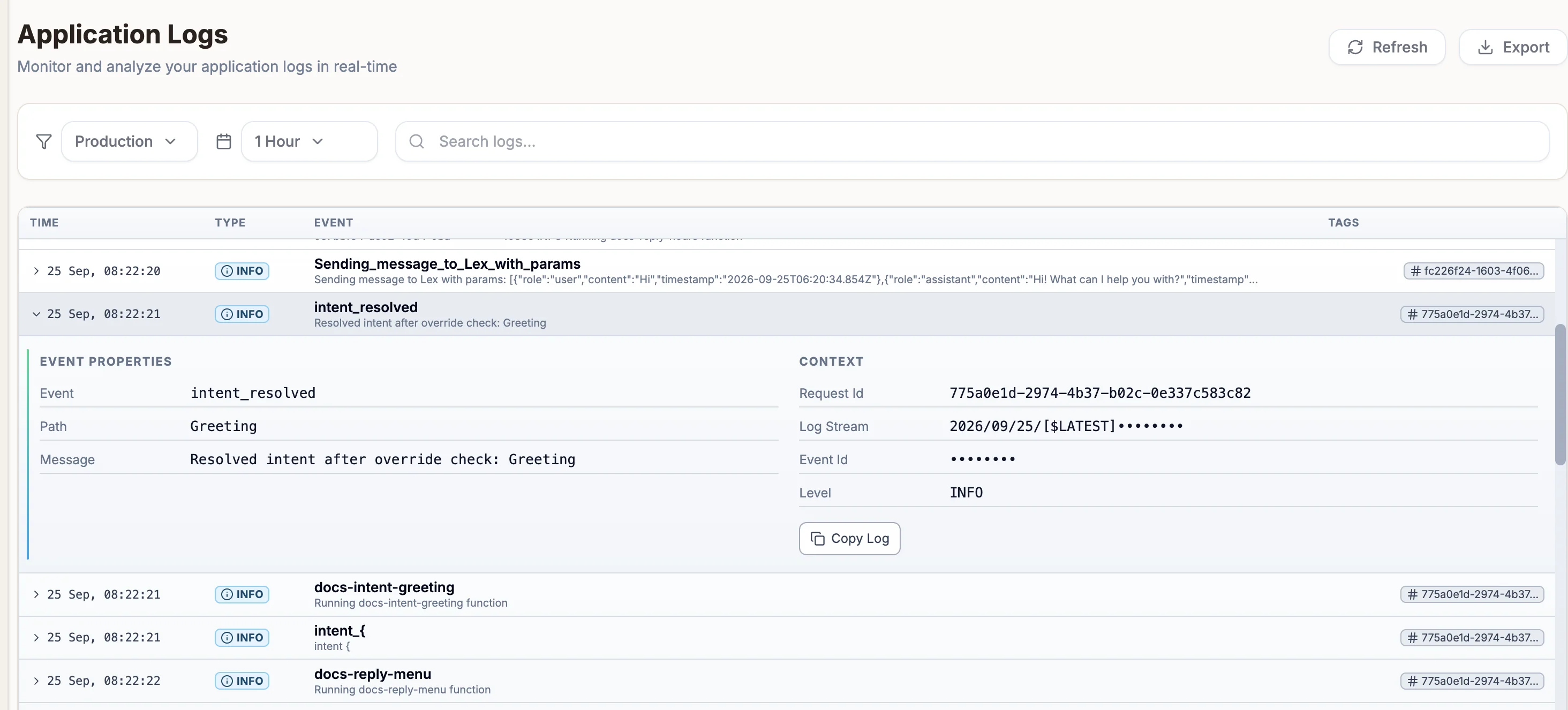
Application Logs lists events from your project with their TIME, TYPE, EVENT and TAGS.
| Control | Options |
|---|---|
| Environment | Simulator (runs from the in-app simulator) or Production (the published project). |
| Time range | From 5 Minutes to 30 days. |
| Search logs... | Filters the events shown. |
Select an event to expand its EVENT PROPERTIES and CONTEXT, and Copy Log to copy it. Refresh reloads the list and Export downloads the events shown as a text file.
Activity
The Activity tab is different for each project type.
| Project type | What Activity shows |
|---|---|
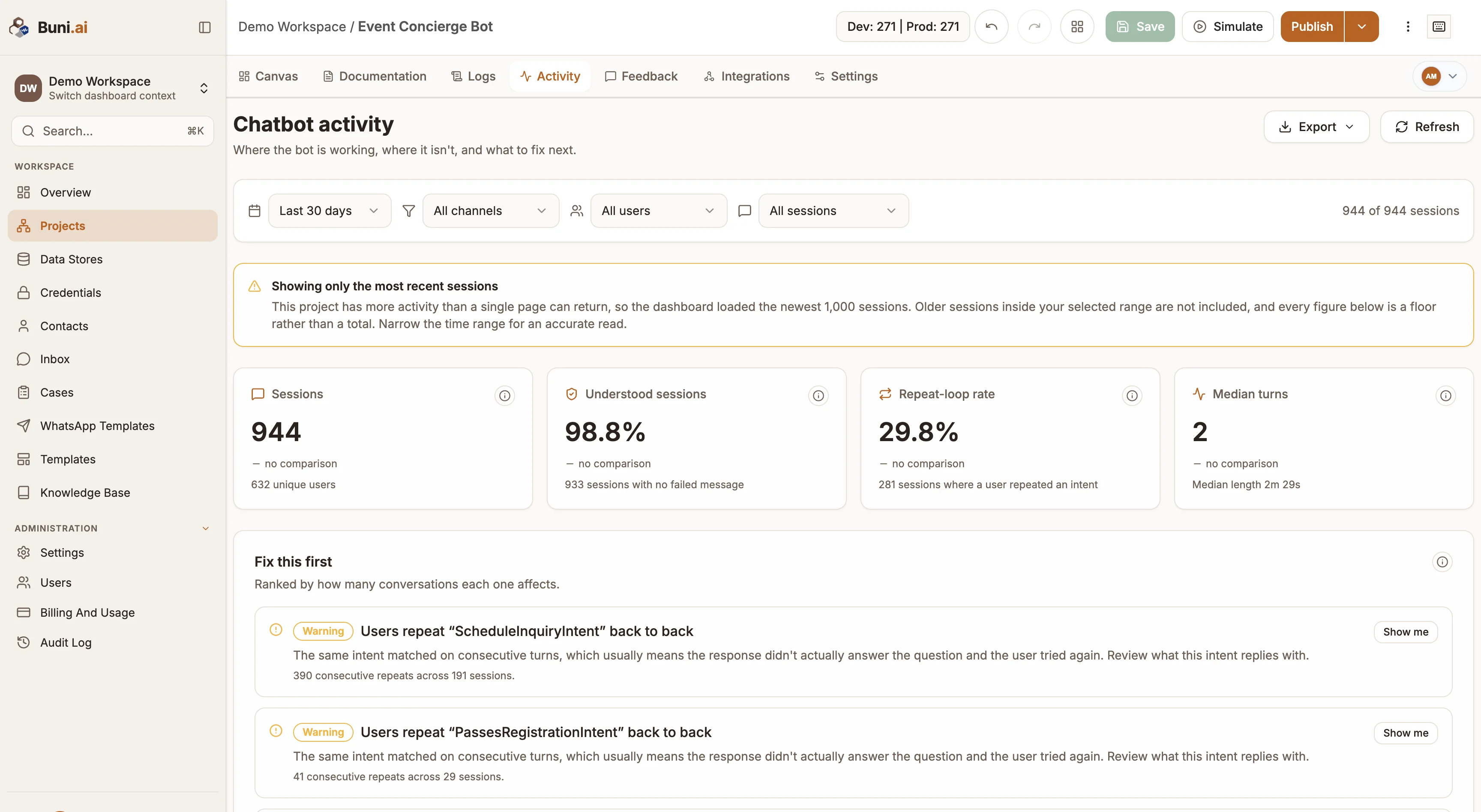
| Chatbot | Where the bot is working, where it is not, and what to fix next. Sessions, how many were understood, unrecognized messages, repeated intents, sentiment, where conversations end, forms, channels and languages. Sub-tabs: Understanding, Journeys, Forms and Reach. |
| USSD | Whether callers reach what they dialled in for. Sessions, completion rate, abandoned sessions, mis-keyed input and where callers drop out. Sub-tabs: Journey, Screens, Timing and Callers. |
| Voice (IVR) | Each call with its status, direction and flow version, plus totals such as calls answered, completed and minutes used. From a call you can read its transcript, call the number back, or reveal the full number (which is recorded in the audit log). |
| Automation | Each workflow run with its status, environment and duration, plus totals for triggered, succeeded, failed and needs-attention runs. See Runs and logs. |
Chatbot and USSD activity can be filtered by time range (Last 7 days, Last 30 days, Last 90 days or a Custom range), channel or environment, and user, and exported from the Export menu.