
SMS
SMS projects are not available yet. Send text messages today from USSD, chatbot and automation flows with the Messaging node.
Not available yet
SMS is listed as a project type, but it cannot be created yet: in the New project dialog, Channel shows SMS - coming soon and the option is disabled. There is no SMS project type, inbound SMS handling or SMS route to set up today.
What you can do today is send SMS from a flow. The Messaging node sends a text message through your own Twilio, Africa's Talking or Infobip account, as one step in a flow.
Where you can send SMS from
The Messaging node is in the node palette of these project types:
| Project type | Typical use |
|---|---|
| USSD | Text the caller a receipt or reference number after the session, since the USSD screen disappears when it ends. |
| Chatbot | Send a confirmation or alert to a phone number collected in the conversation. |
| Automation | Notify someone when a trigger fires, for example a new order or a form submission. |
It is not available in Voice (IVR) projects.
Send an SMS from a flow
Add a provider credential
The Messaging node signs in to your SMS provider with a credential saved in Buni.ai. Add one for Twilio, Africa's Talking or Infobip under Credentials, or create it from the node in the next step. See SMS providers for what each provider asks for.
Add and configure the Messaging node
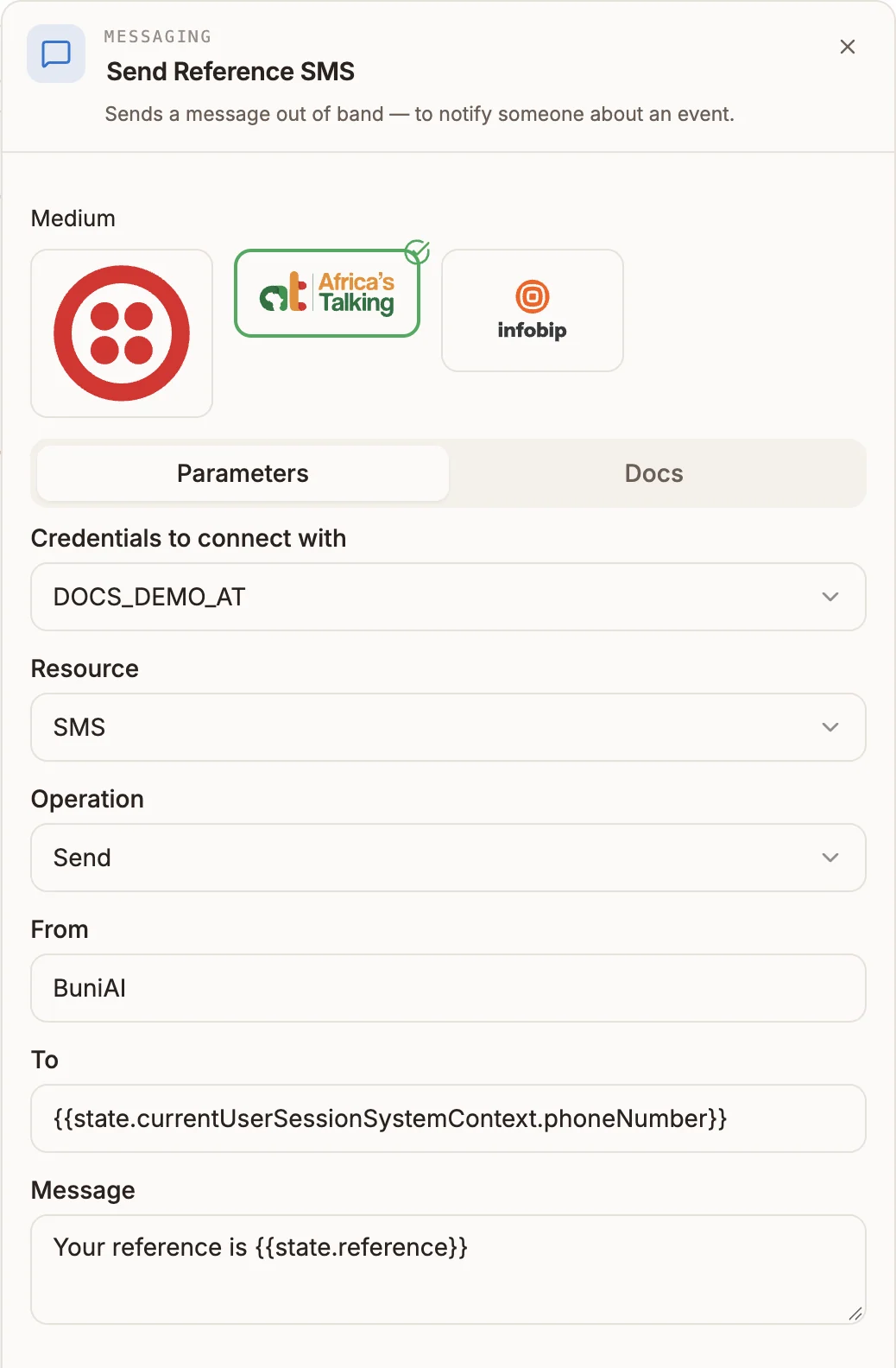
Add a Messaging node where the message should be sent, and double-click it.
| Field | What to enter |
|---|---|
| Medium | The provider: Twilio, Africa's Talking or Infobip. |
| Credentials to connect with | A saved credential for that provider, or Create new credential. Only credentials for the selected provider are listed. |
| Resource | SMS. |
| Operation | Send. |
| From | The sender: a number or sender ID your provider account is allowed to use. |
| To | The recipient's number, typed or taken from a variable. |
| Message | The text to send. It can include variables. |
From, To and Message accept variables, so one node can send a personalised message to
whoever is in the flow. For example, set Message to
Your reference is {{state.reference}} (insert the variable with the picker, or type it).
Connect it and test
Connect the node into your flow, save, and test it (Simulate, or Run in an automation project). Messages can be sent for real through your provider account, so use a number you control.
In a USSD project's simulator, an Africa's Talking message goes to Africa's Talking's sandbox rather than a real phone. Twilio and Infobip messages are sent for real.
Texting a USSD caller
In a USSD project, the caller's phone number is available as
{{state.currentUserSessionSystemContext.phoneNumber}}. Use it as the To value to send
a receipt at the end of a session.
The number arrives in whatever format your USSD aggregator sends it. Check it in the simulator or the project's logs, and make sure it is in the format your SMS provider expects, for example with the country code.
Limits
- Sending only. There is no built-in way to receive SMS, or replies to your messages, in a flow.
- Messages are sent and billed by your provider account, under its own rules for sender IDs, message length and delivery.